
The UTECTION by VOOK Wireless Mic is a two-transmitter clip-on (lavalier) microphone kit for smartphones: two small wireless mics, one USB Type-C receiver that plugs into your phone, a Type-C to Lightning adapter for older iPhones, and a charging case. According to the Amazon.in listing, it offers one-click noise cancellation, up to 20 m range and up to 48 hours of battery life, which presumably includes top-ups from the case.
It is aimed at Indian creators shooting Reels, YouTube videos, interviews and vlogs on a phone, where the built-in mic picks up too much room noise. Short verdict: the feature list matches what phone creators need, but almost every detail comes only from the seller’s listing, and some of it is contradictory, so buy it with your return window in mind.
How this article was put together: we could not find an official UTECTION or VOOK product page for this exact kit, so the specifications below come from the Amazon.in listing (captured 17 October 2026) and are labelled as the listing’s claims. We have not tested the VOOK Wireless Mic, and we found no independent review of this model.
Quick verdict
- Best for: phone-based creators who want two wireless clip mics for interviews, two-person Reels or walking vlogs
- Skip if: your phone has a micro USB port, you mainly record on a DSLR or mirrorless camera, or you need specifications confirmed by the manufacturer
- Strengths (as listed): two transmitters, one-click noise cancellation, Type-C receiver plus Lightning adapter, 48-hour total battery claim, 20 m range, charging case, two furry windshields, 1-year warranty
- Limitations: no official spec page found, battery figure per mic not stated, the listing’s own technical table has inconsistent entries, Android phones must support OTG
What the listing says is in the box
- 2 x wireless microphone transmitters
- 1 x Type-C receiver
- 1 x Type-C to Lightning adapter
- 1 x charging case
- 2 x furry windshields
- 1 x charging cable
The listing’s technical table gives the colour as yellow. Product photos and colour names can change on Amazon listings, so confirm the colour shown on the listing before you order if it matters to you.
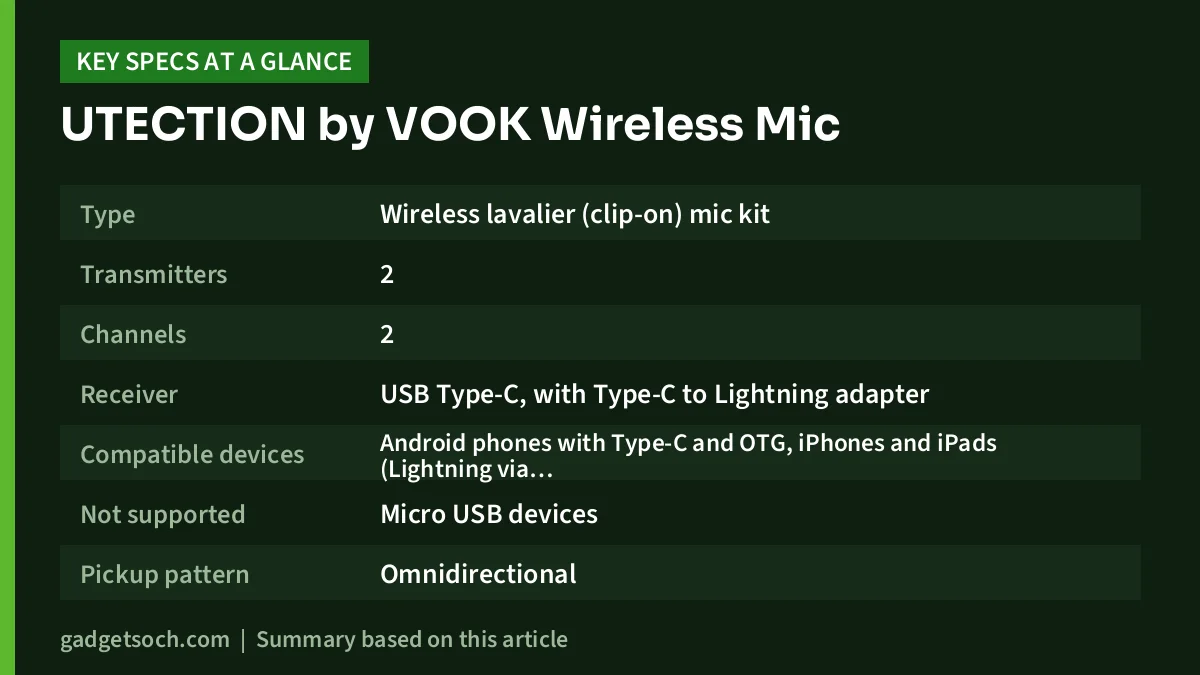
Specifications from the Amazon.in listing
| Feature | Listing claim |
|---|---|
| Type | Wireless lavalier (clip-on) mic kit |
| Transmitters | 2 |
| Channels | 2 |
| Receiver | USB Type-C, with Type-C to Lightning adapter |
| Compatible devices | Android phones with Type-C and OTG, iPhones and iPads (Lightning via adapter, or Type-C) |
| Not supported | Micro USB devices |
| Pickup pattern | Omnidirectional |
| Noise reduction | One-click noise cancellation |
| Range | 20 m |
| Battery | Up to 48 hours (with case, not stated per mic) |
| Charging | Type-C, described as fast and dual charging |
| Charging case | Included |
| Colour | Yellow (per technical table) |
| Warranty | 1 year, plus consultation service |
Check the current price of the UTECTION by VOOK Wireless Mic on Amazon.in
A note on the brand and missing official specs
The listing is sold under the UTECTION brand with “by VOOK” in the title. We checked utection.com, which presents itself as a smartphone accessory brand for Apple, Google and Samsung products and does not list any wireless microphone. We also checked vook.in, VOOK’s own Indian store. VOOK sells an AirMic with similar headline numbers (two mics, 20 m range, up to 48 hours with the case), but its box includes two separate receivers, one USB-C and one Lightning, while this listing describes one Type-C receiver plus a Lightning adapter. VOOK’s page does not mention UTECTION.
That means we cannot confirm this listing is the same product as any model on VOOK’s site, and we have not borrowed VOOK’s per-mic battery, audio or noise-cancellation figures for this article. Treat everything here as the seller’s description.
The listing’s technical table also contains entries that do not fit a rechargeable wireless mic, such as “1 AAA battery required (included)”. The bullet points describe Type-C charging and a charging case, so we treat the AAA line as an error. Small inconsistencies like this are common on accessory listings, but they are a reminder to check what actually arrives.
Compatibility: check this before anything else
Most problems with phone wireless mics are about compatibility, not sound. Here is what the listing says, and what it means for you.
Android phones. The VOOK Wireless Mic plugs into a USB Type-C port, and the listing says the phone must support OTG (USB On-The-Go), the feature that lets a phone accept USB accessories. If the mic does not connect, the listing asks you to enable OTG in settings. Micro USB phones are not supported.
Camera apps on Android. The listing warns that some default camera apps may not use an external mic for video. Its suggested fix is a third-party app such as Open Camera, where you can choose the audio source in video settings. If you shoot mainly in Instagram or another app, test that app specifically before relying on the mic for a shoot.
iPhones and iPads. The listing says the Type-C to Lightning adapter is included for iOS devices with a Lightning port, and that iPhones and iPads with Type-C are supported directly. For reference, VOOK’s own site notes that iPhone 15 and later models use USB-C, while iPhone 14 and earlier use Lightning.
Cameras and laptops. The listing does not mention cameras, laptops or a 3.5mm output. If you shoot on a DSLR or mirrorless camera, look for a kit that specifically lists a camera output.
Two mics: what you can do with them
Two transmitters and two channels mean you can mic up two people, for example an interviewer and a guest, or two creators in a duet video. The listing does not explain whether the two mics are recorded mixed together or can be split into separate left and right channels, so plan on a single combined track unless your unit’s manual says otherwise. With a combined track, each person’s level depends on how close their mic is to their mouth, so clip both mics at a similar distance.
Noise cancellation and windshields
The listing promises one-click noise cancellation to reduce background noise, but it does not say how much noise is reduced or whether there are different levels. Without published figures, the only reliable way to judge it is with your own test recordings in the places you shoot.
The two furry windshields matter just as much outdoors. Wind hitting a small capsule produces a low rumble that noise cancellation cannot always remove. Fit the furry covers whenever you shoot outside, especially on a bike, a terrace or near the sea.
Practical tip: record a 20-second test with noise cancellation on and then off in the place you will shoot. Processing can sometimes make voices sound thinner, and only your own ears can decide which version is better for a given video.
Battery and range
Battery. The listing claims up to 48 hours. It does not say how long each mic lasts on a single charge, so assume the 48-hour figure includes recharging from the case. Get into the habit of putting the mics back in the case between takes, and charge the case overnight before a long shoot day.
Range. The listing’s highlight line gives 20 m. Rated ranges usually assume a clear line of sight, so walls, bodies and your own pocket between mic and phone can reduce it. For most phone shoots, the subject is within a few metres of the camera, so 20 m is more than enough.
Getting good sound from any clip-on mic
- Clip the mic on the chest, about a hand’s width below the chin, and point the capsule towards the mouth.
- Keep it clear of necklaces, dupatta folds and jacket zips, which rub and rustle.
- Route any cable or loose fabric so the mic does not swing when you move.
- Do a short test recording and listen on headphones before every shoot.
- Turn on Do Not Disturb during important takes so calls and notification sounds do not interrupt the recording.
Who should buy it, and who should not

Consider it if you record mostly on a Type-C Android phone with OTG or on an iPhone, you want two wireless mics with a charging case, and you are comfortable buying based on listing specifications with the option to return.
Skip it if you need verified manufacturer specs, a camera output, separate channels you can confirm before buying, or support for a micro USB phone. Also skip it if you have not yet checked that your camera app accepts an external mic.
Alternatives worth comparing
- VOOK AirMic: sold on VOOK’s own site with two clip-on mics, separate USB-C and Lightning receivers, 20 m range, 48 kHz/16-bit audio, up to 8 hours per mic and up to 48 hours with the case, and an ANC chip rated up to 40 dB.
- VOOK ClipX: two transmitters with a Type-C receiver and Lightning adapter, up to 30 m range on 2.4 GHz, about 6 to 8 hours per mic, up to 40 hours with the charging dock, and latency under 20 ms, per VOOK’s site.
- BOYA mini 2: up to two transmitters on one receiver, USB-C with Lightning as an option, up to 100 m range in open spaces, 6 hours per transmitter and 30 hours with the case, with two noise-cancellation strengths, according to BOYA.
- BOYA BY-M1: a wired, omnidirectional clip mic with a 6 m cable and a 3.5mm plug, powered by an LR44 button cell. No charging, but you need a phone or camera with a compatible input.
For more context, see our BOYA BY-M1 review and the YouTube starter kit guide for India.
Before you click buy
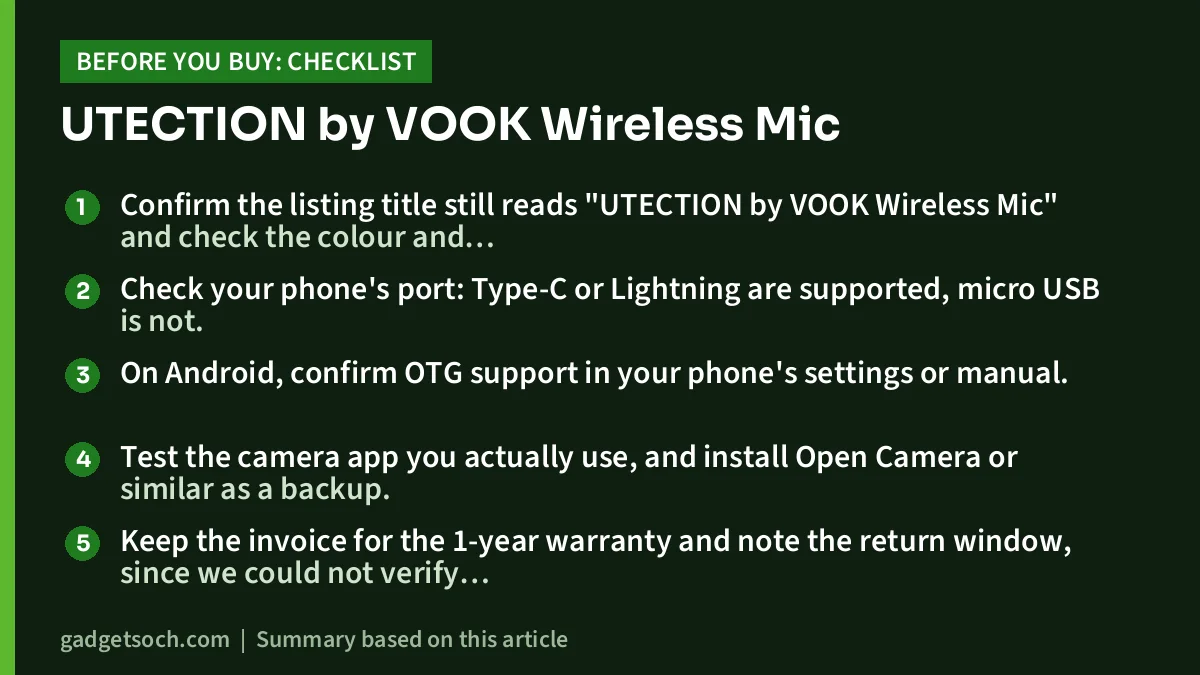
- Confirm the listing title still reads “UTECTION by VOOK Wireless Mic” and check the colour and the box contents line.
- Check your phone’s port: Type-C or Lightning are supported, micro USB is not.
- On Android, confirm OTG support in your phone’s settings or manual.
- Test the camera app you actually use, and install Open Camera or similar as a backup.
- Keep the invoice for the 1-year warranty and note the return window, since we could not verify specs with the brand.
See the UTECTION by VOOK Wireless Mic listing on Amazon.in
Frequently asked questions
Does the UTECTION by VOOK Wireless Mic work with iPhone?
The listing says yes: it includes a Type-C to Lightning adapter for Lightning iPhones and iPads, and Type-C iPhones can use the receiver directly.
Why is my Android phone not detecting the mic?
The listing says OTG must be enabled in your phone’s settings. If your camera app still records from the built-in mic, try an app like Open Camera and choose the external mic as the audio source.
How long does the battery last?
The listing claims up to 48 hours with the charging case. It does not give the runtime of each mic on a single charge.
Can it be used with a DSLR or mirrorless camera?
The listing mentions only phones and tablets with Type-C or Lightning ports. It does not mention a camera output, so do not plan on camera use.
Is this the same as the VOOK AirMic?
We could not confirm that. The AirMic on VOOK’s site has similar headline figures but a different receiver arrangement, and VOOK’s page does not mention UTECTION.
Bottom line
The UTECTION by VOOK Wireless Mic lists the features phone creators want: two wireless mics, one-click noise cancellation, a charging case and both Type-C and Lightning support. What it lacks is a verifiable manufacturer spec sheet. If you buy it, test it with your own phone and camera app early, and keep the return window in mind.
Check the current price of the UTECTION by VOOK Wireless Mic on Amazon.in
Related reading on GadgetSoch: DIGIMORE D-460 Lite Dual Wireless Lavalier Mic Review: Two Mics, One Type-C Receiver and SEZNIK Mini Printer Review: An Inkless Bluetooth Thermal Printer for Study Notes, With Limits.
Sources
- Amazon.in listing for UTECTION by VOOK Wireless Mic, ASIN B0HDT72VMW (captured 17 October 2026)
- UTECTION official site (checked 17 October 2026, no microphone listed)
- VOOK India: AirMic (checked 17 October 2026)
- VOOK India: ClipX (checked 17 October 2026)
- BOYA: mini 2 and BY-M1 product pages (checked 17 October 2026)




