
The Qubo Dashcam Pro 4K (2026 Edition) is a front-and-rear dash cam from Hero Electronix’s Qubo brand, built around a Sony STARVIS IMX415 sensor for the front camera and paired with a Full HD rear camera. It adds built-in GPS, 2.4GHz Wi-Fi with app access, ADAS alerts and a supercapacitor instead of a battery. For Indian car owners who want sharp front footage, rear coverage and speed and location data in one kit, it is one of the more complete options in Qubo’s range.
The short verdict: on paper it is a strong all-rounder for daily driving and highway trips. The main caveats are that Qubo’s own page and the Amazon listing disagree on some details, including the screen size, that no parking mode is described for this model, and that you need to buy a microSD card separately.
How this article was made: it is based on Qubo’s official product page and the Amazon.in listing data, both checked on 17 October 2026, not on hands-on testing. Where the two sources differ, we say so.
Quick verdict
- Best for: drivers who want high-resolution front recording, a rear camera, GPS logging and phone access to clips
- Skip if: you need recording while parked, an in-cabin camera for taxi or fleet use, or a 4G live view
- Key strengths: Sony STARVIS IMX415 sensor, 140-degree field of view, 1080p rear camera, built-in GPS and Wi-Fi, G-sensor event lock, supercapacitor, support for cards up to 1TB
- Key limitations: screen size and front video specs differ between sources, no parking mode described, microSD card not included, ADAS details are only on the listing
Specifications: official page versus Amazon listing

| Specification | Qubo official page | Amazon.in listing |
|---|---|---|
| Model | Dashcam Pro 4K 2026 (front and rear) | Dashcam Pro 4K, 2026 Edition, black |
| Front sensor | Sony STARVIS IMX415, 8MP | Sony STARVIS IMX415, 8MP UHD+ |
| Front video | “4K UHD+” (no resolution or frame rate given) | 3840 x 2160 in bullets, but technical details say 1080p and 1944p at 30 fps |
| Rear video | 1920 x 1080 at 25 fps | Full HD 1080p, 2MP |
| Field of view | 140 degrees | 140 degrees |
| Screen | 3.16-inch IPS | 2.8-inch IPS in title and bullets, 3.2-inch LCD in technical details |
| GPS and Wi-Fi | Yes, Wi-Fi 2.4GHz | Yes, with Qubo Pro app |
| ADAS | Mentioned, no details | Lane departure and forward collision warnings |
| G-sensor | Yes | 6-axis G-sensor with event lock |
| Power | Supercapacitor, no battery, 5V 2A | Supercapacitor, -20 to 85 degrees C claim |
| Storage | Up to 1TB | Up to 1TB microSD, card not included |
| Encoding | H.265, MP4 | – |
| Cables | Front 3.5 m, rear 7 m | – |
| Mount | Adhesive, detachable | Windshield mount |
| Warranty | 1 year | Warranty card in box |
Check the current price of the Qubo Dashcam Pro 4K 2026 Edition on Amazon.in and confirm the listing still describes the front and rear kit.
Front camera: why the IMX415 sensor matters
The front camera is the reason to buy this model. Qubo’s page lists a Sony STARVIS IMX415 sensor with 8MP resolution and calls it “4K UHD+”. The Amazon listing’s bullets put the recording resolution at 3840 x 2160, which is standard 4K UHD. More resolution helps where dash cam footage usually struggles: reading number plates, road signs and details at the edges of the frame, especially after you zoom in on a clip later.
There is one inconsistency to note. The listing’s technical details give video capture resolutions of “1080p, 1944p” and a 30 fps frame rate, while its bullets claim 3840 x 2160. Qubo’s own specification table does not state a front resolution or frame rate for this model. Treat 4K as the headline claim and check the recording settings in the Qubo Dashcam Pro 4K menu after installation.
The 140-degree field of view, which both sources agree on, is a sensible width. The listing says it can cover up to six lanes. Much wider lenses can capture more of the road but stretch distant objects, so 140 degrees is a reasonable balance for city and highway driving.
Rear camera and installation
The rear camera records at 1920 x 1080 and 25 fps, according to Qubo. That is enough to capture the vehicle behind you and its behaviour in traffic, which can matter in rear-end collisions, although plate reading at a distance will be harder than with the front camera.
Qubo lists a 3.5 m front power cable and a 7 m rear camera cable, with an adhesive mount and a 5V 2A power requirement. Before buying, measure the Qubo Dashcam Pro 4K route from the windshield to the rear glass along the headliner and pillars, especially in a large seven-seater. According to the listing, the box includes the front and rear cameras, a power cable, a car charger, the rear camera cable, double-sided adhesive tape, a pry tool and a warranty card. A microSD card is not included.
Screen and controls
Qubo’s page lists a 3.16-inch IPS screen with power, reset and four navigation buttons. The Amazon title and bullets say 2.8-inch IPS, and the listing’s technical details say 3.2 inches. The difference is small in practice, but it shows the listing has not been fully updated. A built-in screen is useful for checking the Qubo Dashcam Pro 4K angle during installation and playing back a clip at the roadside without a phone.
GPS, Wi-Fi and the app
Built-in GPS records your speed and location and, according to the listing, embeds that data in the video files. This can help when you need to show where and how fast you were driving at the time of an incident. Wi-Fi (2.4GHz per Qubo) connects the Qubo Dashcam Pro 4K to Qubo’s app so you can view, download and manage footage on your phone. The listing calls it the Qubo Pro app, while Qubo’s page links to the Qubo app in the app stores, so check the app name in the quick start guide.
ADAS alerts: useful, but not a safety system
The Amazon listing says the camera offers lane departure and forward collision warnings. Qubo’s page shows ADAS in its images and description but does not list which alerts are included or how they work. Camera-based alerts like these can be a helpful nudge on highways, but they depend on clear lane markings and good visibility, which are not always present on Indian roads. They do not brake or steer the car, so treat them as an extra reminder, not a replacement for attention. If alerts become too frequent in city traffic, check whether the menu lets you switch them off.
Night recording, heat and reliability
The STARVIS sensor family is designed for low-light sensitivity, and both sources mention night features. Qubo lists WDR and shows “Qubo Night Pulse” in its images, while the listing claims 3D DNR, HDR and WDR, calling it NightPulse Vision. Without published independent tests, we cannot say how clear the night footage is, so look at sample videos on the listing or the brand’s channels before you decide.
The supercapacitor is a genuine advantage in India. Qubo confirms the camera uses a supercapacitor and no battery. Lithium batteries in dash cams can degrade or swell after long exposure to cabin heat, while supercapacitors are generally more tolerant of high temperatures. The listing claims an operating range of -20 to 85 degrees C, but Qubo’s page does not state an operating temperature, so treat that figure as the seller’s claim.
Storage and memory cards
Both sources say the camera supports cards up to 1TB, and Qubo lists H.265 encoding, which typically produces smaller files than older H.264 at similar quality. That means more hours of footage before loop recording overwrites older clips. Use a high-endurance microSD card designed for continuous recording, format it in the camera, and copy important clips off soon after an incident. The listing says the G-sensor locks footage automatically when it detects an impact.
Who should buy it, and who should skip it

Buy it if you drive regularly on highways or in busy cities and want the highest front resolution in Qubo’s comparison table, plus a rear camera, GPS data and app access. It is also a good fit if heat reliability is a priority, thanks to the supercapacitor.
Skip it if you need recording while the car is parked. Qubo’s page for this model does not describe a parking mode, and Qubo sells a separate N series for parking mode. Also skip it if you drive a taxi or fleet vehicle and need an in-cabin camera, or if you want live remote viewing over 4G.
Alternatives worth comparing
Qubo Dashcam 3K front and rear (STARVIS 2): Qubo’s comparison table lists a 5MP front camera, 1080p 25 fps rear camera, 140-degree view, 3.2-inch IPS screen, GPS, Wi-Fi and a supercapacitor. It is the closest step down if 4K is not essential.
Qubo Dashcam Trio 3-Channel: adds a cabin camera. Qubo lists a 2560 x 1440 front camera at 30 fps, 1080p cabin and rear cameras at 25 fps, four 950nm infrared lights, a 3.16-inch screen, GPS and Wi-Fi. Better for taxi and fleet use, with lower front resolution.
Qubo Dashcam Pro X: a simpler front-only camera that Qubo lists at 2304 x 1296 and 30 fps, with a 120-degree view, Wi-Fi and no screen or GPS. Read our Qubo Dashcam Pro X review if you only need basic front recording.
What to check before you order
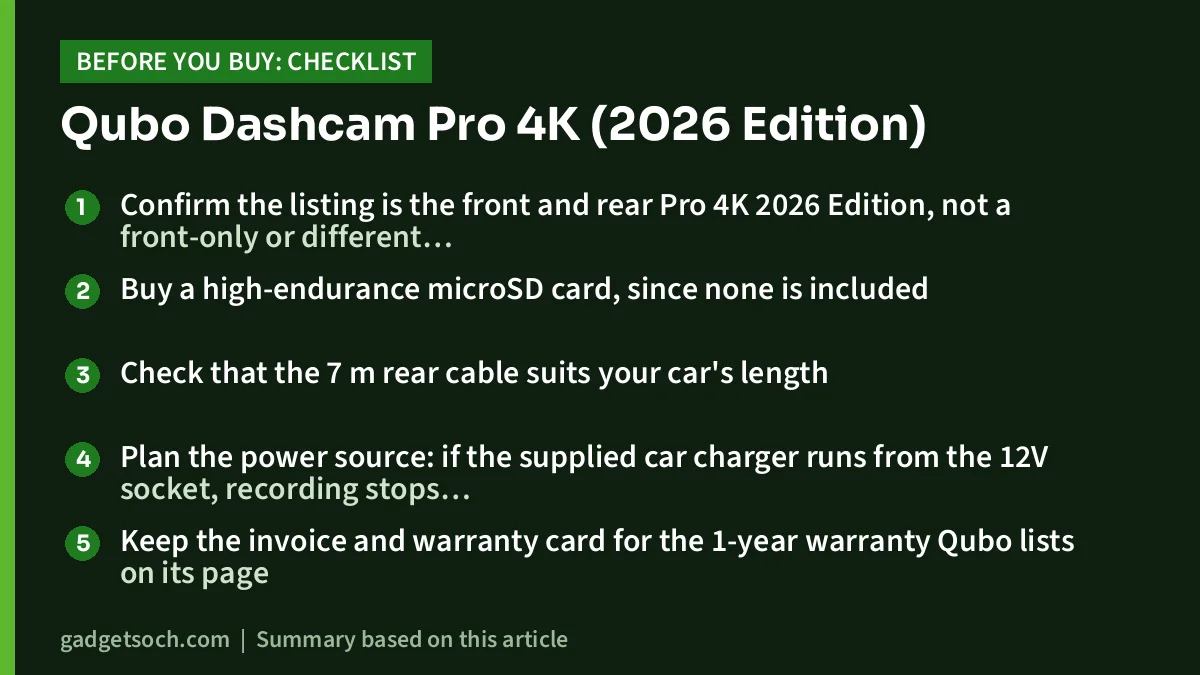
- Confirm the listing is the front and rear Pro 4K 2026 Edition, not a front-only or different resolution model
- Buy a high-endurance microSD card, since none is included
- Check that the 7 m rear cable suits your car’s length
- Plan the power source: if the supplied car charger runs from the 12V socket, recording stops when that socket switches off with the ignition
- Keep the invoice and warranty card for the 1-year warranty Qubo lists on its page
- Look at sample day and night footage before buying
When you are ready, see the Qubo Dashcam Pro 4K front and rear kit on Amazon.in.
Frequently asked questions
Does the Qubo Dashcam Pro 4K record in true 4K?
The Amazon listing claims 3840 x 2160 front recording and Qubo calls it “4K UHD+” with an 8MP IMX415 sensor. However, the listing’s technical details mention 1080p and 1944p, and Qubo’s spec table does not state a front resolution, so check the resolution setting in the menu after installation.
Does it have a parking mode?
Neither Qubo’s product page nor the Amazon listing describes a parking mode for this model. Qubo markets a separate N series for parking mode.
Is a memory card included?
No. The listing says the SD card is not included. Both sources say cards up to 1TB are supported.
Does it have a battery?
No. Qubo lists a supercapacitor and no battery, which is generally better suited to hot parked cars. The camera runs on car power through the supplied charger.
What is the warranty?
Qubo’s product page lists a 1-year warranty. The listing includes a warranty card in the box but does not state the period.
Final take
The Qubo Dashcam Pro 4K 2026 Edition brings the IMX415 sensor, a 1080p rear camera, GPS, Wi-Fi, ADAS alerts and a supercapacitor into one front and rear kit, and it has the highest front pixel count (8MP) in Qubo’s dash cam comparison table. Confirm the screen and resolution details yourself, budget for a good memory card, and choose a different model if parking surveillance matters. Check the current price of the Qubo Dashcam Pro 4K on Amazon.in.
Related reading on GadgetSoch: CP PLUS CarKam CP-AD-H2B-W Review: A Simple 1080p Front Dash Cam, Explained and Nikon Z50 Twin Lens Kit Review (16-50mm + 50-250mm): Who It Suits and Its Limits.
Sources
- Qubo: Dashcam Pro 4K 2026 front and rear product page and model comparison (checked 17 October 2026)
- Qubo: Dashcam Pro X product page (checked 17 October 2026)
- Amazon.in listing for ASIN B0G8KT3C7S (listing data captured 17 October 2026)




