
The PowerA Twin Charging Station for PS5 is an officially licensed dock that charges two DualSense controllers at the same time from a wall socket, so you do not need to keep your PS5 switched on or a USB cable plugged in just to top up a pad. For anyone in India with two controllers and a habit of finding one flat before a match, it is a simple and tidy fix. It does not make the DualSense battery last any longer, and it adds one more power adapter to your setup.
The listing linked in this article is the Amazon.in product titled “PowerA Twin Charging Station for PS5 DualSense and DualSense Edge Wireless Controllers, AC Adaptor Included, with LED Indicator, Vertical Dual Controller Fast Charging Dock (Officially Licensed)”. It is one station with its own AC adapter. Controllers are not included.
This guide is based on PowerA’s official product page, the Amazon.in listing details and a published review, all checked on 17 October 2026. It is not based on hands-on testing by gadgetsoch.
Quick verdict
- Best for: PS5 owners with two DualSense controllers who want both charged and ready without using the console’s USB ports
- Also consider it if: you want a neat place to park the controllers next to the TV
- Skip it if: you own only one controller and do not mind a cable, or you often play wired with a headset plugged into the controller
- Key strengths: charges two pads at once, officially licensed, small footprint, two-year limited warranty from PowerA, AC adapter included per the listing
- Key limitations: no published charging time, DualSense Edge support is claimed on the Amazon listing but not on PowerA’s own product page, and it needs a free wall socket
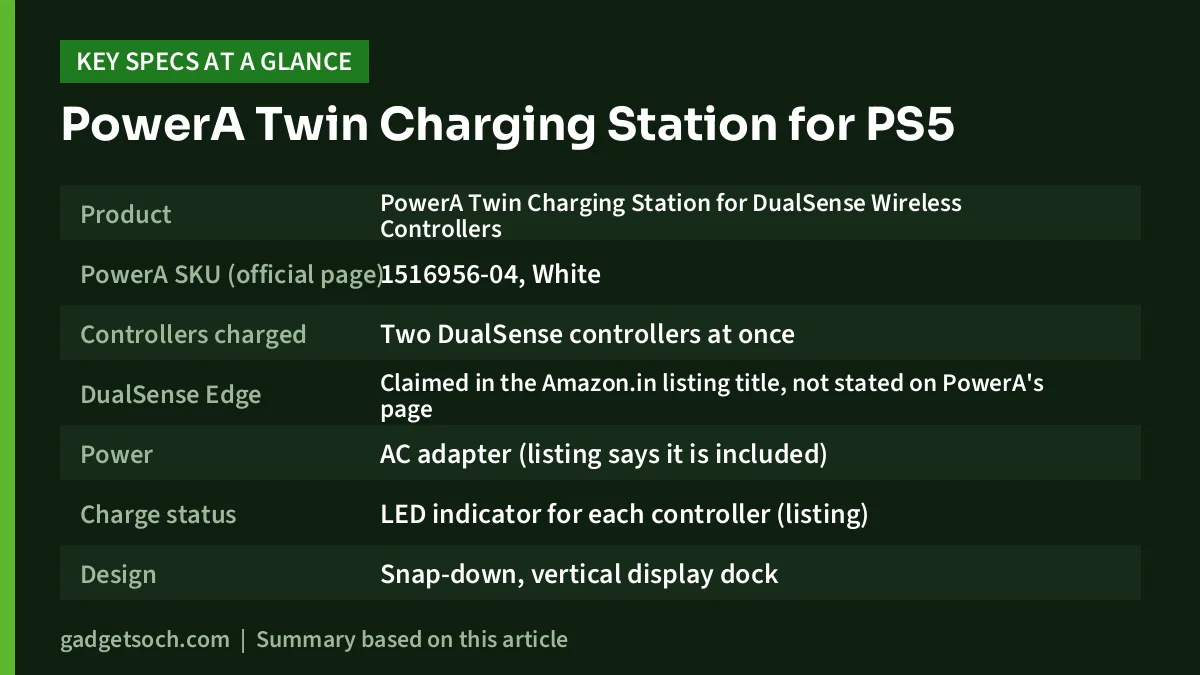
| Specification | Detail |
|---|---|
| Product | PowerA Twin Charging Station for DualSense Wireless Controllers |
| PowerA SKU (official page) | 1516956-04, White |
| Controllers charged | Two DualSense controllers at once |
| DualSense Edge | Claimed in the Amazon.in listing title, not stated on PowerA’s page |
| Power | AC adapter (listing says it is included) |
| Charge status | LED indicator for each controller (listing) |
| Design | Snap-down, vertical display dock |
| Dimensions | 15.6 x 4.2 x 9.3 cm (PowerA) and 15.6 x 9.3 x 4.2 cm (Amazon.in) |
| Weight | 0.276 kg (PowerA), 270 g (Amazon.in) |
| Licence | Officially licensed for PlayStation 5 |
| Warranty | Two-year limited warranty (PowerA and listing) |
| Country of origin | China (Amazon.in listing) |
| Importer named on listing | ACCO Brands India Private Limited, Mumbai |
Check the current price of the PowerA Twin Charging Station on Amazon.in
What this dock actually does
A DualSense controller charges through its USB Type-C port. Out of the box, that means a cable from the PS5 or a phone charger. Sony’s own India product page for the DualSense notes that a USB cable is not included with the controller and that the cable supplied with the PS5 console is the one you use to connect or charge it. If you have two controllers, you end up swapping one cable between them. (Our Sony DualSense review covers the controller itself.)
The PowerA station removes that routine. It plugs into a wall socket through its own AC adapter and holds two controllers upright. PowerA describes a snap-down design: you press the controller into place to start charging and, as the official page puts it, click down again to release the contact when you want to pick it up. The Amazon.in listing describes the same idea in its own words, saying the controllers slide in and snap into place and that you will hear a click.
Because the dock has its own power supply, it does not depend on the PS5 at all, which helps if you switch the console fully off at night.
Design and size
According to PowerA, the station measures 6.14 x 1.65 x 3.66 inches, which works out to 15.6 x 4.2 x 9.3 cm, and weighs about 0.276 kg. The Amazon.in listing gives the same three dimensions in a different order and lists the weight as 270 g. Either way, it is a small block, roughly the width of a large smartphone held sideways, so it fits on a TV unit, beside the console or on a desk.
The finish on PowerA’s page is white, which matches the standard PS5 and white DualSense. PowerA and the listing both lean on the “display” angle: the controllers stand upright on the dock and stay visible when you are not playing.
In a review published by Gfinity Esports in November 2023, Luke Hinton liked that the upright layout keeps the base small and said the PlayStation branding helps it look less like a generic third-party accessory. He scored it 9/10.
LED indicators and charging behaviour
The Amazon.in listing says that once you hear the click, an LED lights up and shows the current battery level, and that it tells you when each controller is fully charged. PowerA’s own product page, as checked, does not describe the LED behaviour, so treat the exact light colours and patterns as the listing’s description.
Neither PowerA nor the listing publishes a charging time. The listing title uses the phrase “fast charging dock”, but no figure backs that up, so we would not read too much into it. Charging speed in practice is mostly set by the controller itself. For reference, Sony says its own first-party DualSense charging station charges controllers as quickly as when they are connected to the PS5 console. No such comparison is published for the PowerA unit.
Gfinity’s reviewer did not give charging times either. He did say the dock meant he ran into the low-battery warning far less often, while noting that it cannot fix the DualSense’s underlying battery life.
DualSense Edge compatibility: what we could confirm
The Amazon.in listing title names both the DualSense and the DualSense Edge. PowerA’s product page for SKU 1516956-04 only says it charges two DualSense wireless controllers and does not mention the Edge. We could not find a statement from PowerA confirming Edge support. If you own a DualSense Edge, check the listing’s questions section or contact PowerA support before relying on it.
For context, Sony’s DualSense Edge page states that the Edge is compatible with Sony’s own DualSense charging station, and it ships with a connector housing for the cable. That confirms the Edge can work with a dock in principle, but it does not confirm this specific PowerA product.
Limitations worth knowing
- You cannot play while docked. Gfinity noted that a docked controller is out of action, and its headphone jack cannot be used while it sits on the dock. If you play with a wired headset, you will still want a USB-C cable for long sessions.
- One more plug. The station needs a wall socket. On crowded TV units in Indian homes, that can mean another spot on an extension board.
- Plug type. The Gfinity reviewer in the UK received an EU-style plug. The Amazon.in listing does not state the plug type, so check the product images or questions before ordering.
- No battery upgrade. The dock charges the existing battery. It does not extend how many hours a DualSense lasts per charge.
- Unclear charging time. No official figure is published.
Who should buy it
The dock makes the most sense if two people play on the same PS5, or if you rotate between two controllers so one is always charging. It also suits people who switch the console off completely at night and do not want USB charging tied to rest mode.
Who should skip it
If you have a single controller and already keep a USB-C cable near the console, the dock adds little. The same applies if you mostly play wired, for example with a headset plugged into the controller’s jack, since the controller has to come off the dock to be used. DualSense Edge owners should confirm compatibility first, as explained above.
Alternatives worth comparing
- Sony DualSense Charging Station: Sony’s first-party dock also holds two controllers. Sony states that it charges as quickly as charging from the PS5 console, and its DualSense Edge page says it works with the Edge.
- The PS5’s own USB cable: the console ships with a USB cable that Sony says is the one used to connect or charge the DualSense. It costs nothing extra, but it ties up a console port and charges one pad at a time.
- PowerA USB-C Cable for PlayStation 5: PowerA also lists its own USB-C cable for PS5. It is the simpler option if you only need a longer or spare cable rather than a dock.
How to set it up and look after it
Setup is simple. Plug the AC adapter into the station and into a wall socket, then press each controller down onto a slot until it clicks. Gfinity described the process as just plugging it into mains power and placing the controllers on the dock. Here are a few habits that help:
- Seat the controller fully until it clicks, then check the LED before walking away
- Wipe dust off the contact area now and then with a dry cloth
- Keep the dock away from heat sources such as a set-top box vent or direct sunlight
- If an LED does not light, re-seat the controller before assuming a fault
What to check before you order
Accessory listings change, so it is worth a quick check before you pay. Confirm that the listing title still reads “Twin Charging Station for PS5 DualSense and DualSense Edge” with “AC Adaptor Included” and that it is sold or fulfilled by a seller you trust. Look at the product images for the plug type, since the listing does not state it. Keep the invoice, because PowerA offers a two-year limited warranty and support through its website, and the listing names ACCO Brands India Private Limited in Mumbai as the manufacturer’s Indian entity. DualSense controllers are sold separately.
See the PowerA Twin Charging Station listing on Amazon.in
Frequently asked questions
Does the PowerA Twin Charging Station need the PS5 to be on?
No. It uses its own AC adapter and plugs into a wall socket, according to PowerA and the Amazon.in listing, so it charges controllers whether the console is on, in rest mode or switched off.
Is the AC adapter included in the box?
The Amazon.in listing title says “AC Adaptor Included”. PowerA’s product page says the station is powered by an AC adapter but does not list box contents.
Will it charge a DualSense Edge?
The Amazon.in listing claims it does. PowerA’s own page for this SKU mentions only the standard DualSense. If you have an Edge, confirm with the seller or PowerA before buying.
How long does it take to fully charge a controller?
Neither PowerA nor the listing gives a charging time, and the published review we checked does not measure it either.
Is it officially licensed by Sony?
Yes. PowerA’s page says the dock is officially licensed for PlayStation 5, and the Amazon.in listing says the same.
What warranty does it have?
PowerA lists a two-year limited warranty with support through PowerA.com/Support. The Amazon.in listing also mentions a two-year limited warranty.
Final word
The PowerA Twin Charging Station does one job: it keeps two DualSense controllers charged and parked in one place, without tying up the PS5’s USB ports. The main open questions are DualSense Edge support, which only the listing claims, and charging time, which nobody publishes. If those do not matter to you, it is an easy upgrade over juggling one cable between two pads.
Check the current price of the PowerA Twin Charging Station on Amazon.in
Related reading on GadgetSoch: Sony DualSense Charging Station Review (CFI-ZDS1): Is a Two-Controller Dock Worth It? and Sony PS5 Media Remote Review: What It Controls, What It Doesn't, and Who Needs It.
Sources
- PowerA: Twin Charging Station for DualSense Wireless Controllers (1516956-04), checked 17 October 2026
- Amazon.in listing B0DP6N7ZCF (title, feature bullets, technical details), checked 17 October 2026
- Gfinity Esports: PowerA Twin Charging Station review by Luke Hinton (November 2023), checked 17 October 2026
- PlayStation India: DualSense wireless controller, checked 17 October 2026
- PlayStation India: DualSense Edge wireless controller, checked 17 October 2026




