The ASUS Dual Radeon RX 7600 EVO OC Edition is an 8GB GDDR6 desktop graphics card built on AMD’s Radeon RX 7600 GPU. According to the Amazon.in listing, its OC mode runs at up to 2715 MHz boost and up to 2300 MHz game clock, and it uses two Axial-tech fans with a 0dB mode for quiet light-load use. On paper it is a sensible mainstream upgrade for a desktop gaming PC, provided your power supply and cabinet clearance check out.
This article covers the exact variant linked below: ASUS part number 90YV0LD0-M0NA00, the Dual RX 7600 EVO OC Edition with 8GB GDDR6, one HDMI 2.1 port and three DisplayPort 1.4a outputs. Other RX 7600 cards from ASUS or other brands use different coolers, sizes and clocks, so they are not covered by this link.
How this review was put together: it is based on the Amazon.in listing data captured on 17 October 2026 and published specifications, not on hands-on testing. We also tried to open ASUS’s official specification page on the same date, but the request was rate-limited and the page could not be read. That is why the specs below are labelled as the listing’s claims, and why we point you to the ASUS page to confirm power details before you order.
Quick verdict
- Best for: desktop builders who want 8GB of video memory, a factory overclock and a fan-stop mode in a dual-fan card about 23 cm long
- Skip if: your cabinet cannot take a 2.5-slot card, or you need confirmed power-connector and PSU figures and cannot check the ASUS page yourself
- Key strengths (per the listing): up to 2715 MHz boost in OC mode, Axial-tech fans on dual ball bearings, 0dB technology, one HDMI 2.1 plus three DisplayPort 1.4a outputs, and a 2-year manufacturer warranty
- Key limitations: 8GB leaves less memory headroom than 12GB or 16GB cards, the 2.5-slot thickness can cover the slot below, and the listing omits power details while containing a few obvious data errors
Key specifications
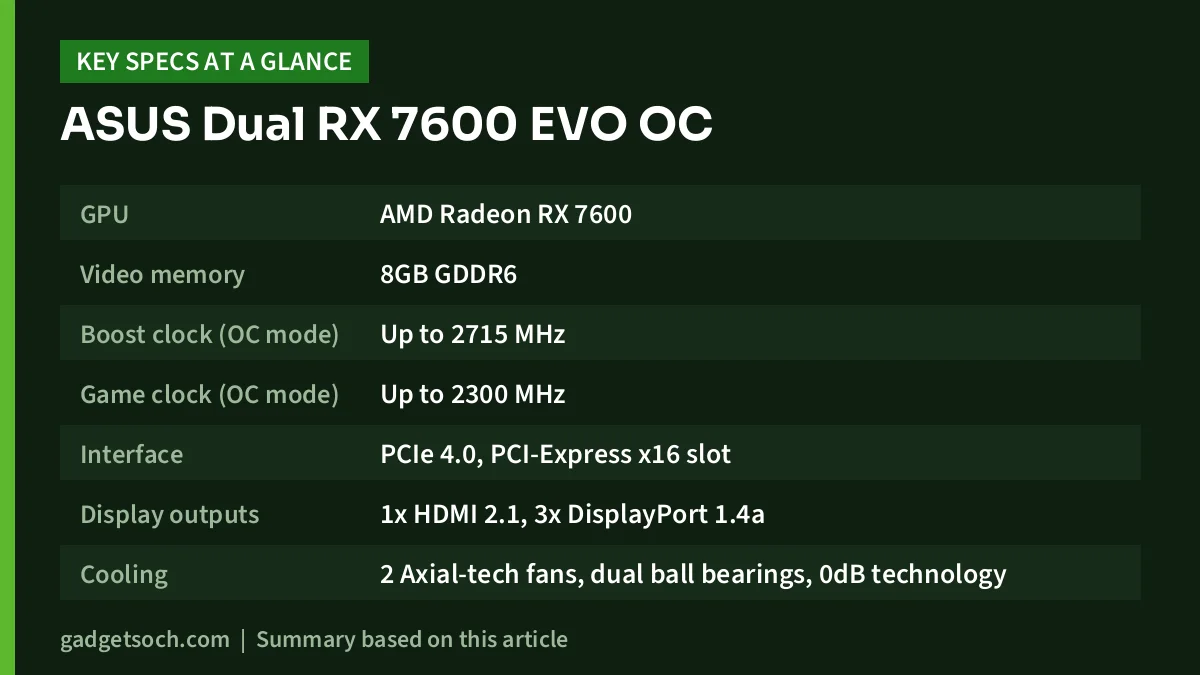
| Specification | ASUS Dual RX 7600 EVO OC Edition (as stated on the Amazon.in listing) |
|---|---|
| GPU | AMD Radeon RX 7600 |
| Video memory | 8GB GDDR6 |
| Boost clock (OC mode) | Up to 2715 MHz |
| Game clock (OC mode) | Up to 2300 MHz |
| Interface | PCIe 4.0, PCI-Express x16 slot |
| Display outputs | 1x HDMI 2.1, 3x DisplayPort 1.4a |
| Cooling | 2 Axial-tech fans, dual ball bearings, 0dB technology |
| Thickness | 2.5 slots |
| Length x width | 22.9 x 12.3 cm |
| Weight | 703 g |
| Part number | 90YV0LD0-M0NA00 |
| Warranty | 2 years, manufacturer |
| Power connector and recommended PSU | Not stated in the listing, confirm on the ASUS page |
Check the current price of the ASUS Dual RX 7600 EVO OC Edition (8GB) on Amazon.in
What “OC Edition” means for clock speeds
Two clock figures appear in the listing, and they mean different things. The boost clock (up to 2715 MHz here) is the peak speed the GPU may reach when temperature and power allow. The game clock (up to 2300 MHz) describes the speed you should typically expect during sustained gaming. When you compare RX 7600 cards, compare like with like: game clock against game clock, boost against boost.
Both numbers are quoted for “OC mode”, which implies a default mode with lower clocks, but the listing gives no default-mode figures. As a general rule, factory overclocks between cards using the same GPU produce modest differences, and the cooler, fan noise and physical size often matter more day to day than a few dozen megahertz.
A caution on the listing’s technical table: it shows a “GPU Clock Speed” of “2695 KHz” (an obvious unit error that also does not match the 2715 MHz bullet), repeats 2715 MHz as the “Memory Clock Speed”, names “Asus, GIGABYTE” as the manufacturer, and gives two different maximum resolutions. We have treated the title and feature bullets as the more reliable parts of the listing.
8GB of GDDR6: how much headroom you get
Video memory (VRAM) holds the textures and frame buffers a game needs at any moment, and higher resolutions and texture settings use more of it. When a game needs more VRAM than the card has, data has to move over the slower PCIe link, which can show up as stutter.
Compared with the many 6GB entry cards on sale, including RTX 3050 6GB models, this ASUS card gives you 2GB more room. Compared with 12GB and 16GB cards, it gives you less. If a demanding new game warns you about memory use, texture quality is usually the first setting to lower. The listing does not state the memory bus width or bandwidth, so we have not quoted those figures.
Cooling and noise
According to the listing, ASUS uses its Axial-tech fan design, with a smaller fan hub so the blades can push more air through the heatsink. The fans use dual ball bearings, which ASUS says last up to twice as long as conventional fans. That is the manufacturer’s durability claim, not something we have measured.
The listing also highlights 0dB technology, described as letting you “enjoy light games in relative silence”. Fan-stop modes let the fans rest when the GPU is lightly loaded, which helps a PC used for study or office work in a bedroom stay quieter. Under heavy gaming the fans will spin up, and we could not verify measured noise or temperature figures for this exact card. In Indian summers, make sure your cabinet has at least one intake and one exhaust fan, and clean dust from the filters and heatsink every few months.
Size and fit in your cabinet
The listing gives the card’s dimensions as 22.9 cm long and 12.3 cm wide, with a 2.5-slot thickness. Look up your cabinet’s maximum GPU length and subtract any space taken by front fans or a radiator, because some small cabinets sold with budget PCs are tight.
On micro-ATX motherboards, a 2.5-slot card takes up more than two slots’ worth of space, so the slot directly below the main x16 slot may be covered. If you use a Wi-Fi, sound or capture card, check where it sits before you buy.
Ports and monitor setup
The card has four display outputs: one HDMI 2.1 and three DisplayPort 1.4a. Most PC gaming monitors connect over DisplayPort, while HDMI 2.1 suits TVs and some newer monitors. Higher-bandwidth HDMI 2.1 modes need a certified Ultra High Speed HDMI cable, and an older bundled cable may not qualify. The listing does not state how many displays can run at once, so check the ASUS page if you plan a multi-monitor setup.
Power supply and PCIe: check before you order
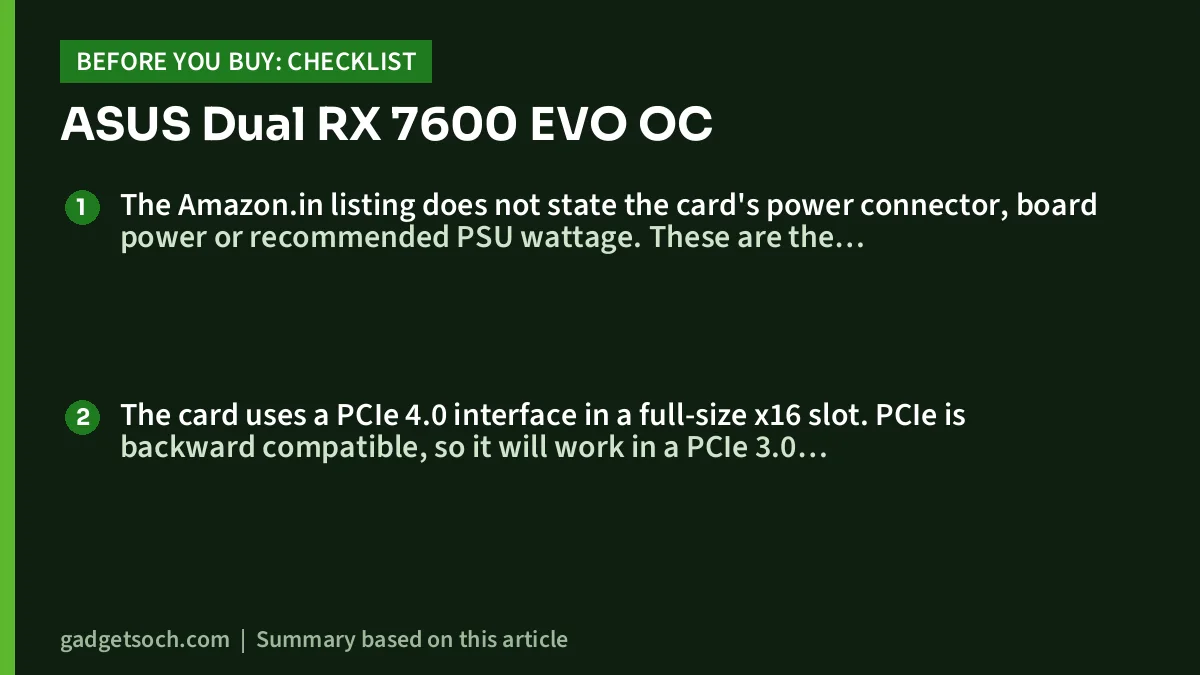
The Amazon.in listing does not state the card’s power connector, board power or recommended PSU wattage. These are the most important compatibility details for an upgrade, so confirm them on ASUS’s official specification page and then check that your power supply has the matching PCIe cable and enough wattage. Avoid unbranded power supplies bundled with low-cost cabinets, and in areas with unstable mains power a UPS adds useful protection.
The card uses a PCIe 4.0 interface in a full-size x16 slot. PCIe is backward compatible, so it will work in a PCIe 3.0 slot at the older standard’s speed. The listing does not say how many lanes the card uses electrically, so if you have an older PCIe 3.0 platform, look for independent tests of RX 7600 cards on PCIe 3.0. If you are pairing it with a processor that has no integrated graphics, such as the chip in our Intel Core i5-12400F review, the graphics card is what drives your monitor, so plug the display into the card, not the motherboard.
Who should buy it, and who should skip it

- Buy it if you are building or upgrading a desktop and want 8GB of VRAM rather than 6GB
- Buy it if you care about idle noise and want fans that stop under light loads
- Skip it if your cabinet has less than about 23 cm of GPU clearance or you need the slot below the graphics card
- Skip it if you play at high resolutions with maximum textures and want more than 8GB of memory headroom
Alternatives worth comparing
We have not compared frame rates between these cards because we could not verify benchmark data for this article. Check independent reviews for the games you play.
- NVIDIA GeForce RTX 3050 8GB: NVIDIA’s India page lists 2560 CUDA cores, a 1.78 GHz boost clock and 8GB of GDDR6
- MSI GeForce RTX 3050 Ventus 2X 6G OC: its Amazon.in listing describes 6GB GDDR6 on a 96-bit bus, a 1492 MHz boost, 189 mm length and a 300 W minimum system power requirement
- Gigabyte GeForce RTX 3050 WINDFORCE OC 6G (GV-N3050WF2OC-6GD): 6GB GDDR6 on a 96-bit interface with two HDMI 2.1 and two DisplayPort 1.4a outputs, according to its listing
- Other RX 7600 cards: same GPU with different coolers, clocks, lengths and warranty terms, so compare size and thickness first
Buying checklist
- Confirm that the listing title says “Dual Radeon RX 7600 EVO OC Edition 8GB” and the part number is 90YV0LD0-M0NA00
- Measure your cabinet’s GPU clearance and check that 2.5 slots of space are free
- Check the power connector and recommended PSU wattage on the ASUS page
- Do not expect extras: the listing names only the graphics card as the box contents
- Keep your invoice and buy from an authorised seller, since the listing’s 2-year manufacturer warranty depends on proof of purchase
- After installing, download the latest AMD Software: Adrenalin Edition driver from AMD’s website
See the ASUS Dual RX 7600 EVO OC Edition 8GB on Amazon.in
Frequently asked questions
Is the ASUS Dual RX 7600 EVO OC good for 1080p gaming?
It has the RX 7600 GPU and 8GB of GDDR6, the kind of card many buyers pair with a 1080p monitor. We are not quoting frame rates because we could not verify benchmark data for this specific card, so check independent RX 7600 benchmarks for your games.
Will it work on a PCIe 3.0 motherboard?
Yes. PCIe is backward compatible, so this PCIe 4.0 card will run in a PCIe 3.0 x16 slot at PCIe 3.0 speeds. The listing does not state the electrical lane count, so look for independent PCIe 3.0 tests if you are on an older platform.
What power supply do I need?
The Amazon.in listing does not state the recommended PSU wattage or the power connector. Check ASUS’s specification page for the 90YV0LD0-M0NA00 model and make sure your PSU meets that figure.
Is the card quiet?
The listing says its 0dB technology lets you enjoy light games in relative silence, meaning the fans can rest under light loads. We could not verify measured noise levels under heavy gaming.
What warranty does it carry in India?
The Amazon.in listing states a 2-year manufacturer warranty. Keep your invoice and buy from an authorised seller to avoid problems with service claims.
Final word
The ASUS Dual Radeon RX 7600 EVO OC Edition looks well-rounded on paper: 8GB of GDDR6, a factory overclock, a fan-stop mode and four display outputs in a card under 23 cm long. Its weak spot is information rather than hardware, because the listing leaves out power details and contains clear errors, so check the ASUS specification page first. If your cabinet and power supply fit, it deserves a place on your shortlist. Check the current price of the ASUS Dual RX 7600 EVO OC Edition on Amazon.in.
Related reading on GadgetSoch: ASUS Prime RX 9060 XT 16GB OC Review: Specs, Fit and Listing Errors to Check and ZOTAC RTX 5070 SOLID OC Review: 12GB GDDR7, Two-Slot SFF-Ready Card Explained.
Sources
- Amazon.in listing for ASIN B0DKPGQT97 (title, feature bullets and technical details), captured 17 October 2026
- NVIDIA GeForce RTX 3050 family page (India), used for the RTX 3050 8GB alternative, checked 17 October 2026
- ASUS Dual RX 7600 EVO OC Edition tech specs: could not be opened on 17 October 2026 (rate-limited), listed so you can verify power and display details yourself