The Portronics Mport Edge (POR 2931) is a small grey 5-port USB hub that adds one USB 3.0 port, two USB 2.0 ports, a Type-C port and a 100 Mbps RJ45 Ethernet socket to a laptop or desktop. Its main trick is a 2-in-1 connector that plugs into either a USB-C or a USB-A port, so it suits mixed setups with an older office desktop and a newer laptop. It is a sensible buy for basic peripherals and wired internet, but it has no HDMI output, no card reader and no laptop pass-through charging.
In short: buy the Mport Edge if you want a simple, light way to connect a keyboard, mouse, printer, pen drive and a LAN cable to one machine. Skip it if you need a second monitor, fast Ethernet beyond 100 Mbps, or a hub that charges your laptop while connected.
This article is based on Portronics’ official product page and the Amazon.in listing, both checked on 17 October 2026. It is not a hands-on test, and we have not measured transfer speeds or network throughput ourselves.
Quick verdict
- Best for: students and office users who need extra USB-A ports and a wired LAN connection on a laptop
- Skip if: you want HDMI, SD card slots or USB-C power delivery for your laptop
- Key strengths: works with both USB-C and USB-A host ports, RJ45 Ethernet built in, about 60 g according to the Amazon.in listing, 1-year warranty
- Key limitations: only one USB 3.0 port according to the official spec list, Ethernet capped at 100 Mbps, Type-C port is only rated 5V/2A on the listing
Portronics Mport Edge key specifications

| Specification | Details | Source |
|---|---|---|
| Model name and code | MPort Edge, POR 2931 | Official page and Amazon.in listing |
| Colour | Grey | Official page and listing |
| Number of ports | 5 | Official page |
| Host connector | 2-in-1 connector: Type-C and USB-A | Official page |
| Port types | Type-C (charging support), 1x USB 3.0, 2x USB 2.0, RJ45 Ethernet | Official page |
| Ethernet speed | 100 Mbps | Official page and listing |
| Type-C port rating | 5V 2A | Amazon.in listing |
| Data transfer rate | 5 Gbps (USB 3.0 port) | Amazon.in listing |
| Enclosure | ABS plastic | Amazon.in listing |
| Dimensions | 14 x 5.7 x 1.5 cm | Amazon.in listing |
| Weight | 60 g | Amazon.in listing |
| Minimum OS | Windows 7 (listing), MacBook named as compatible on the official page | Listing and official page |
| Warranty | 1 year | Official page and listing |
| Country of origin | China | Amazon.in listing |
If the five ports above match what you need, you can check the current price of the Portronics Mport Edge (Grey) on Amazon.in.
What the 2-in-1 connector means in practice
Most budget hubs use one plug type. Portronics lists the Mport Edge with a “2 IN 1 Connector: Type C and USB A port”, and the product is marketed with “Dual USB Plugs”. In practical terms, the Portronics Mport Edge is designed to connect to either kind of port on your computer, which is useful in Indian homes and offices where a family laptop may have USB-C while the office desktop or an older notebook only has USB-A.
There is one catch worth understanding. The speed of everything behind the Portronics Mport Edge depends on the port you plug it into. If you connect it to a USB 2.0 port on an old desktop, the USB 3.0 port on the hub will only run at USB 2.0 speed, and the Ethernet and other ports share that same link. For the best results, plug it into a blue USB 3.0 port or a USB-C port on your computer.
USB ports: one fast port, two everyday ports
The official specification list on Portronics’ site says the Mport Edge has 1x USB 3.0 and 2x USB 2.0. The Amazon.in listing’s feature bullets talk about “SuperSpeed USB 3.0 Ports” in the plural and a single “High-Speed USB 2.0 Port”, so the two descriptions do not match. We have gone with the manufacturer’s spec list, which is more specific, and we suggest you confirm the port labels in the listing images before ordering.
Why does this matter? USB 3.0 is rated at up to 5 Gbps, which the listing also states, and it is the port to use for a pen drive, external hard disk or portable SSD. USB 2.0 is rated at 480 Mbps, which is far slower for files but completely fine for a keyboard, mouse, webcam, printer or a USB headset. A practical layout is to keep the Portronics Mport Edge and mouse dongle on the two USB 2.0 ports and leave the single USB 3.0 port free for storage.
Remember that a hub shares one connection to your computer. Copying a large folder to an external drive while a video call runs over the Portronics Mport Edge’s Ethernet port means both tasks compete for the same link. Portronics does not publish measured transfer speeds for this model.
Type-C port: what “charging support” probably does not mean
Portronics’ page lists “Type-C Charging Support”, and the Amazon.in listing describes it as a “Type-C 5V2A Port” with “support for charging via Type-C”. Neither page explains whether this port powers the Portronics Mport Edge itself or charges a connected device, so treat it with care.
The numbers make one thing clear: 5V at 2A works out to 10 watts. That is in line with charging a phone slowly or powering small accessories. It is nowhere near what a laptop needs, and nothing on either page mentions USB Power Delivery or pass-through charging for your laptop. If your laptop has only one USB-C port and you need to charge it while using a hub, this is not the right product.
100 Mbps Ethernet: who it suits
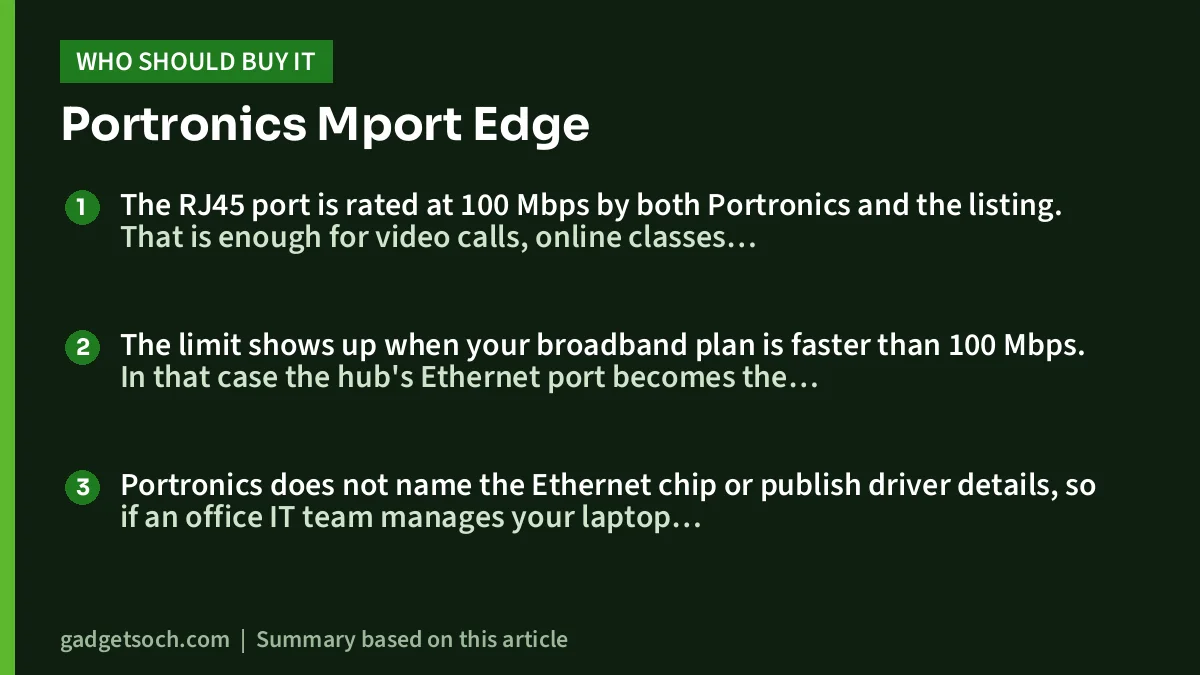
The RJ45 port is rated at 100 Mbps by both Portronics and the listing. That is enough for video calls, online classes, streaming and normal browsing, and a wired connection is often more stable than Wi-Fi in a crowded apartment block or a room far from the router.
The limit shows up when your broadband plan is faster than 100 Mbps. In that case the hub’s Ethernet port becomes the bottleneck, and Wi-Fi on a modern laptop may actually be quicker. At best, 100 Mbps is roughly 12.5 MB per second, so if you move big files over a network, look for Gigabit Ethernet instead.
Portronics does not name the Ethernet chip or publish driver details, so if an office IT team manages your laptop, check with them before relying on a USB LAN adapter.
Design, size and build
According to the Amazon.in listing, the Mport Edge measures 14 x 5.7 x 1.5 cm, weighs about 60 g and has an ABS plastic body. That makes it light enough to keep in a laptop bag pocket.
Neither page lists the cable length. If your desktop’s USB ports are at the back of the cabinet, plan for that, or use a short USB extension.
Who should buy the Portronics Mport Edge
- Students and home users with one or two USB-A peripherals and a USB-C-only laptop
- Office users who move between an older desktop and a newer laptop and want one hub that fits both
- Anyone who needs a wired LAN port for stable video calls on a broadband plan of up to 100 Mbps
- People who want a light, simple hub with a 1-year warranty from an Indian brand
Who should skip it
- Anyone who needs to connect a monitor or projector, since there is no HDMI port
- Photographers who need SD or microSD card slots
- Users with a single USB-C port who must charge the laptop through the hub
- Anyone on a broadband plan faster than 100 Mbps who wants full speed over a cable
Alternatives worth comparing
These alternatives are listed by name only, with facts taken from each brand’s official page on 17 October 2026.
- Amkette Type C 8-in-1 Multiport Dock with Ethernet (100M): adds an HDMI port, a USB-C Power Delivery port rated up to 100W and SD/TF card slots, but it needs a USB-C host port and keeps the same 100 Mbps Ethernet speed
- Amkette TYPE-C 8 in 1 Pro Dock with Gigabit Ethernet: has Gigabit Ethernet, two USB 3.0 ports, HDMI rated at 4K 30Hz and up to 100W USB-C PD, for users whose internet is faster than 100 Mbps
- Spigen ArcDock 4-in-1 Hub (ACA07641): a USB-C hub with two USB-A and two USB-C ports, all rated at 5 Gbps, but with no Ethernet port
What to check before you order

- Variant: the affiliate link below is for the Grey Mport Edge, model POR-2931. Confirm the colour and model code on the listing page.
- Port count: compare the listing images with the official spec list of 1x USB 3.0 and 2x USB 2.0, so you know what you are getting.
- Your laptop’s ports: note whether you will use the USB-C or USB-A plug, and whether that port is USB 3.0 or faster.
- Internet plan: if your plan is above 100 Mbps, decide whether a wired 100 Mbps link is worth it for you.
- Warranty and service: Portronics lists a 1-year warranty and a 7-day replacement on its own site. Keep your Amazon invoice, as it is usually needed for warranty claims, and note the support contacts on the listing.
- Box contents: neither page lists the box contents in detail, so check the listing images.
Once you have confirmed it fits your setup, see the Portronics Mport Edge (Grey, POR-2931) on Amazon.in.
Simple setup tips
Plug the hub in and give the computer a few seconds to load its generic USB and network drivers. On Windows, a new Ethernet adapter should appear under Settings, Network and internet. On a Mac, check System Settings, Network.
For a tidy desk, keep the hub close to the laptop and route the LAN cable behind the screen. If you are building a full work-from-home setup with a keyboard, mouse and monitor, our work from home desk setup guide covers the other parts.
Frequently asked questions
Does the Portronics Mport Edge have an HDMI port?
No. The official specification lists Type-C, one USB 3.0 port, two USB 2.0 ports and RJ45 Ethernet. Some images on the Portronics page mention HDMI and card readers, but these are not in the spec list, so do not buy this hub for video output.
Can it charge my laptop?
Nothing on the official page or the Amazon.in listing mentions USB Power Delivery for laptops. The Type-C port is listed as 5V 2A, which is 10 watts, so it is not meant for laptop charging.
Will it work with a MacBook?
Portronics names MacBook, Dell and HP among compatible laptops. Use the USB-C plug on a MacBook.
Is 100 Mbps Ethernet enough?
For video calls, classes, streaming and browsing on a plan up to 100 Mbps, yes. If your broadband is faster, the port will cap your wired speed at about 100 Mbps.
How many USB 3.0 ports does it have?
One, according to Portronics’ official spec list, plus two USB 2.0 ports. The Amazon.in bullets word this differently, so check the listing images.
What warranty does it come with?
Both the official page and the listing state a 1-year warranty. Portronics’ own store also mentions a 7-day replacement on purchases made there.
Final word
The Portronics Mport Edge is a no-frills hub that solves a common problem: too few USB-A ports and no LAN socket on a modern laptop. The dual-plug design is genuinely handy, and 60 g is easy to carry. Its limits are just as clear: one USB 3.0 port, 100 Mbps Ethernet, no HDMI and no laptop charging. If that list matches your desk, check the current price of the Mport Edge on Amazon.in and confirm the variant before you order.
Related reading on GadgetSoch: UGREEN Revodok 7-in-1 USB-C Hub Review (15214): 4K HDMI, 100W PD and the Limits to Know and Amazon Basics USB-C Hub 9-in-1 Review: Gigabit Ethernet, 4K HDMI and the 30Hz Catch.
Sources
- Portronics MPort Edge official product page (specifications, ports, warranty), checked 17 October 2026
- Amazon.in listing for ASIN B0DW98FZTK (title, feature bullets, technical details), captured 17 October 2026
- Amkette Type C 8-in-1 Multiport Dock (100M) official page, checked 17 October 2026
- Amkette TYPE-C 8 in 1 Pro Dock official page, checked 17 October 2026
- Spigen ArcDock 4-in-1 Hub official India page, checked 17 October 2026