
If your desktop has a PCIe 5.0 M.2 slot and you move large files often, the Crucial P510 1TB is the better pick. It is rated for up to 11,000MB/s reads, uses TLC NAND and carries a much higher 600TBW endurance rating. If your laptop or desktop only has a PCIe 4.0 or 3.0 slot, the Crucial P3 Plus 1TB is the more sensible buy, because the P510 drops to Gen4 speeds there and the P3 Plus is built for exactly that kind of upgrade.
Both are DRAM-less, single-sided M.2 2280 drives with a 5-year limited warranty, so the choice comes down to three things: the slot in your PC, how much data you write in one go, and how much endurance you want.
How we compared them: these picks are based on official specifications and published reviews summarised in our individual reviews of each drive, not hands-on testing. Availability and prices on Amazon.in change, so check the listing before you buy.
Quick verdict: P3 Plus or P510?
- Choose the Crucial P3 Plus 1TB if your laptop or desktop has a PCIe 4.0 or 3.0 M.2 NVMe slot and you want an affordable boot, everyday or game-library drive
- Choose the Crucial P3 Plus 1TB if you need a single-sided Gen4 drive for a thin laptop and mostly write small to moderate amounts of data at a time
- Choose the Crucial P510 1TB if your desktop has a free PCIe 5.0 x4 M.2 slot and you regularly copy large game installs, video projects or disk images
- Choose the Crucial P510 1TB if endurance matters, since it is rated for 600TBW against 220TBW for the 1TB P3 Plus
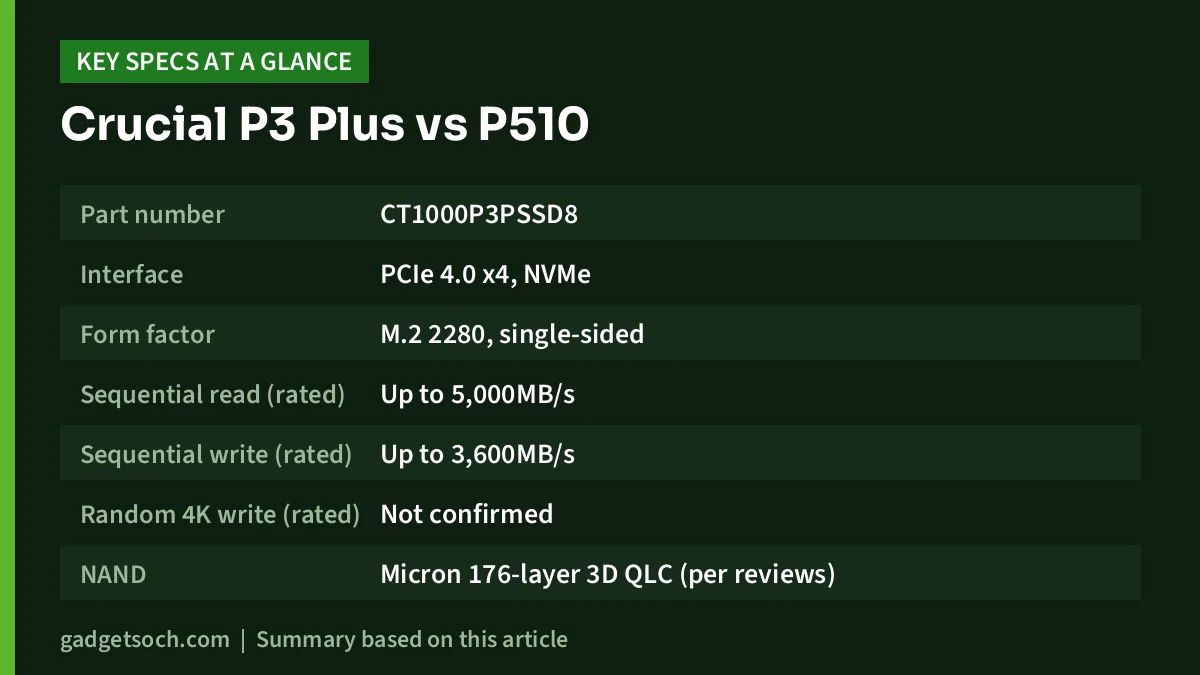
Crucial P3 Plus vs P510 specifications side by side
| Specification | Crucial P3 Plus 1TB | Crucial P510 1TB |
|---|---|---|
| Part number | CT1000P3PSSD8 | CT1000P510SSD8 (per Micro Center listing) |
| Interface | PCIe 4.0 x4, NVMe | PCIe 5.0 x4, NVMe |
| Form factor | M.2 2280, single-sided | M.2 2280, M key, single-sided |
| Sequential read (rated) | Up to 5,000MB/s | Up to 11,000MB/s |
| Sequential write (rated) | Up to 3,600MB/s | Up to 9,500MB/s |
| Random 4K write (rated) | Not confirmed | Up to 1,500,000 IOPS |
| NAND | Micron 176-layer 3D QLC (per reviews) | Micron G9 276-layer 3D TLC |
| Controller | Phison E21T (as reported by reviewers) | Phison E31T, 4-channel |
| DRAM cache | None (Host Memory Buffer) | None (Host Memory Buffer) |
| SLC cache size (1TB) | Not confirmed | Not confirmed |
| Endurance | 220TBW | 600TBW |
| Warranty | 5-year limited | 5-year limited |
| Heatsink | None (bare M.2 module) | None on this variant |
| Older slots | Most PCIe Gen3 systems, at Gen3 speeds | PCIe 4.0 slots, at Gen4 speeds |
A few cautions carry over from our reviews. Crucial’s own P510 product page could not be reached when we checked, so its specifications come from retailer listings. For the P3 Plus, StorageReview criticised Crucial for not stating the NAND type clearly at the time of its review, so the QLC identification comes from independent reviewers such as Tom’s Hardware and PC Gamer. The P3 Plus write rating also differs by capacity (the 2TB model is rated at 4,200MB/s), so make sure you are looking at the 1TB CT1000P3PSSD8.
Interface and compatibility: the deciding factor
The biggest difference is the PCIe generation each drive is built for. The P3 Plus is a PCIe 4.0 drive, and Micron says it is backward compatible with most Gen3 systems, where it runs at Gen3 speeds. The P510 is a PCIe 5.0 drive, and its 11,000MB/s rating is only reachable in a PCIe 5.0 x4 M.2 slot. As APH Networks notes, a Gen5 x4 link offers roughly 16,000MB/s of bandwidth in each direction, while a Gen4 x4 link has about half that.
The P510 does work in a PCIe 4.0 slot, but it runs at Gen4 speeds there, with a theoretical ceiling just under 8,000MB/s. Many recent AMD AM5 and Intel desktop boards have at least one Gen5 M.2 slot, but not all do, and often only one specific socket is Gen5. Most laptops still use PCIe 4.0 slots.
Better for whom: the P3 Plus suits laptops and Gen4 or Gen3 desktops. The P510 only makes full sense in a desktop with a confirmed PCIe 5.0 x4 slot, so check your motherboard manual before paying for Gen5.
Speed and everyday performance
On paper, the P510 is more than twice as fast in sequential reads (11,000MB/s against 5,000MB/s) and well ahead in sequential writes (9,500MB/s against 3,600MB/s for the 1TB P3 Plus). Reviewers largely confirmed the P510’s figures: Wccftech measured about 11,112MB/s read and 9,442MB/s write in CrystalDiskMark’s sequential test on its 1TB sample, and Galaxus also reported results slightly above Crucial’s ratings.
Everyday responsiveness is a different story for both drives, and both are DRAM-less. Wccftech’s PCMark 10 storage score for the P510 was the lowest in its comparison chart, and APH Networks found real-world and medium workloads no better than PCIe 4.0 drives. Galaxus put the P510 last in its office tests, while adding that the difference is hard to notice in daily use. The P3 Plus has a similar story within the Gen4 class: Tom’s Hardware placed it near the bottom of the pack in its 3DMark Storage test, although it still pulled ahead of PCIe 3.0 drives in a 50GB DiskBench file copy.
Better for whom: the P510 is the clear choice for large sequential transfers in a Gen5 slot. Neither drive is a top performer in small-file and everyday workloads according to reviews, so do not expect the P510’s spec-sheet lead to show up to the same degree when booting Windows, opening apps or browsing.
Sustained writes, NAND type and the SLC cache
This is where QLC versus TLC matters. The P3 Plus uses QLC NAND, which stores four bits per cell and is slow to write to natively, so it relies on a fast SLC cache carved from free space. In Tom’s Hardware’s test of the 2TB P3 Plus, the drive absorbed about 550GB in its cache before sustained writes dropped from 4.4GBps to 100MBps. PC Gamer, also testing the 2TB model, saw writes fall to 90MB/s after roughly 500GB, and said about 20% of free space is used as cache, so the cache shrinks as the drive fills.
The P510 uses TLC NAND. It left its cache much sooner in testing but held a far higher speed afterwards. Galaxus (whose linked sample was the 2TB model) saw speed drop from about 4,800MB/s to about 1,500MB/s after roughly 70GB, and listed this as the drive’s main weakness. Wccftech’s 100GB file transfer test on the 1TB P510 averaged about 2,095MB/s.
An important caution: most of these sustained-write tests used 2TB drives, and the 1TB versions have less NAND, so their cache behaviour will differ. We found no published cache-size figure for either 1TB model, so we are not quoting one.
Better for whom: if you write hundreds of gigabytes in one session, the P510’s TLC NAND kept far higher post-cache speeds in reviews than the P3 Plus’s QLC. For game installs, a photo shoot or a few movies at a time, the P3 Plus’s cache is usually enough, and keeping free space on the drive helps.
Endurance and warranty
Crucial rates the 1TB P3 Plus at 220TBW and the 1TB P510 at 600TBW, nearly three times as much. APH Networks works the P510 figure out to roughly 330GB written per day for five years. ServeTheHome called the P3 Plus’s 220TBW rating “very poor”, and Tom’s Hardware listed lower endurance than competitors among its cons, although for a typical home user writing modest amounts each day it is still likely to last for years.
Both drives carry a 5-year limited warranty. In India, warranty claims depend on the seller and Crucial’s local service process, so buy from an authorised seller that provides a GST invoice and check the warranty terms shown on the listing.
Better for whom: the P510 is the safer choice for write-heavy users such as video editors or anyone using the drive as a scratch disk. For light everyday use, the P3 Plus’s rating is adequate.
Heat, power and fitting
Both run cool for their class. Tom’s Hardware reported that its 2TB P3 Plus idled at 37C, reached only 63C after writing through its entire SLC cache, and did not throttle, while PC Gamer saw a peak of 56 degrees. Tom’s Hardware also described the P3 Plus as “quite efficient”, with low idle power draw that is useful in laptops.
The P510 stands out among Gen5 drives. Galaxus recorded no more than 56 °C during continuous writes and called it the coolest SSD it had tested. Wccftech measured 60 °C with no heatsink and 51 °C under a motherboard M.2 heatsink, compared with 82 °C for an uncovered Crucial T700.
Both 1TB models are single-sided, which helps in slim systems and under motherboard heatsinks. The P510 variant on our link ships without a heatsink, so install it under your board’s M.2 cover where one is available. APH Networks found only the drive and a quick start guide in the P510 box, so you will need the M.2 screw or latch from your motherboard.
Better for whom: the P3 Plus is the easier fit for thin laptops with Gen4 slots. The P510 suits desktops with a Gen5 M.2 slot that has its own heatsink cover.
Who should buy which

Buy the Crucial P3 Plus 1TB if you are upgrading a laptop or a Gen4 or Gen3 desktop, want a fast boot or game-library drive, and do not write very large files in one go. Read our Crucial P3 Plus 1TB review for the full details, or check the current price of the Crucial P3 Plus 1TB on Amazon.in.
Buy the Crucial P510 1TB if you have an AM5 or recent Intel desktop with a PCIe 5.0 x4 M.2 slot, move large files often, and want higher endurance and low temperatures for a Gen5 drive. Read our Crucial P510 1TB review, or check the current price of the Crucial P510 1TB on Amazon.in.
Before ordering, confirm the exact variant on each listing. Our P3 Plus link opens the 1TB CT1000P3PSSD8, and our P510 link opens the 1TB Gen5 model without a heatsink.
Frequently asked questions
Is the Crucial P510 faster than the P3 Plus?
In rated sequential speed, yes, by a wide margin, but only in a PCIe 5.0 x4 slot. In a Gen4 slot the P510 is limited to Gen4 speeds. For everyday tasks, reviewers found the P510 close to PCIe 4.0 drives, so the real-world gap is smaller than the specs suggest.
Can I put the Crucial P510 in a laptop?
It will work in an M.2 2280 NVMe slot, including PCIe 4.0 slots, but at Gen4 speeds. Most laptop M.2 slots are not Gen5, so for most laptop upgrades the P3 Plus is the more practical choice.
Which is better for gaming?
Both can hold a game library comfortably. Game installs and loads are mostly read-heavy and usually fit within the P3 Plus’s cache, although reviewers found it slower than premium Gen4 drives in game-loading traces. Galaxus placed the P510 between Crucial’s flagship T705 and PCIe 4.0 rivals in gaming, and Wccftech recorded a 9.9-second Forspoken load using DirectStorage. With a Gen5 slot, the P510 is the faster option. Without one, the P3 Plus makes more sense.
Do both drives lack a DRAM cache?
Yes. Both are DRAM-less and use Host Memory Buffer, borrowing a small amount of system RAM for mapping data. Reviewers linked this to weaker small-file performance on the P510.
Which drive will last longer?
On rated endurance, the P510 1TB (600TBW) is well ahead of the P3 Plus 1TB (220TBW). Both carry a 5-year limited warranty, so check the terms and keep your invoice.
Our full reviews
For full specifications, review findings and sources, read our Crucial P3 Plus 1TB review and our Crucial P510 1TB review.
Related reading on GadgetSoch: Laptop RAM and SSD Upgrade Guide: Which Crucial or SanDisk Part Fits? and SanDisk Extreme Portable SSD 1TB Review: Speed, Ruggedness and the 2023 Firmware Issue.




