
The Portronics Key2 Combo is a compact wireless keyboard and mouse set that shares one 2.4 GHz USB receiver, uses a tenkeyless keyboard (no number pad) with quiet keys, and adds an ambidextrous optical mouse. It suits students, home users and anyone with a small desk who mostly types text and wants a plug-and-play set. If you enter a lot of numbers, need Bluetooth, or want a backlit or rechargeable keyboard, it is the wrong pick.
The Amazon.in link in this article opens the Grey Key2 Combo, listed with model number POR-374. Portronics’ own Key2 page, as we saw it, lists only White (POR-373) and Black (POR-372) and gives a different mouse DPI figure, so the Grey listing may be a later or channel-specific version. Check the colour and model number on the listing before you order.
A note on method: this article is based on Portronics’ official Key2 Combo page and the Amazon.in listing data, both checked on 17 October 2026. We have not used this combo ourselves, and we could not find an independent review to cite, so there are no hands-on impressions here. Claims that appear only on the Amazon listing are labelled as such.
The short answer
- Good for: small desks, laptop users who want a separate keyboard, students and home offices doing mostly text work
- Not for: accountants, data entry or Tally and Excel heavy users who need a number pad, and anyone who wants Bluetooth or a backlight
- What stands out: one receiver for both devices, tenkeyless size, quiet scissor-style keys (per the listing), multimedia keys, 12-month warranty
- What holds it back: no number pad, no published battery life or range in the official specs, and DPI and model details that differ between Portronics’ page and the Grey listing
Key2 Combo specifications at a glance
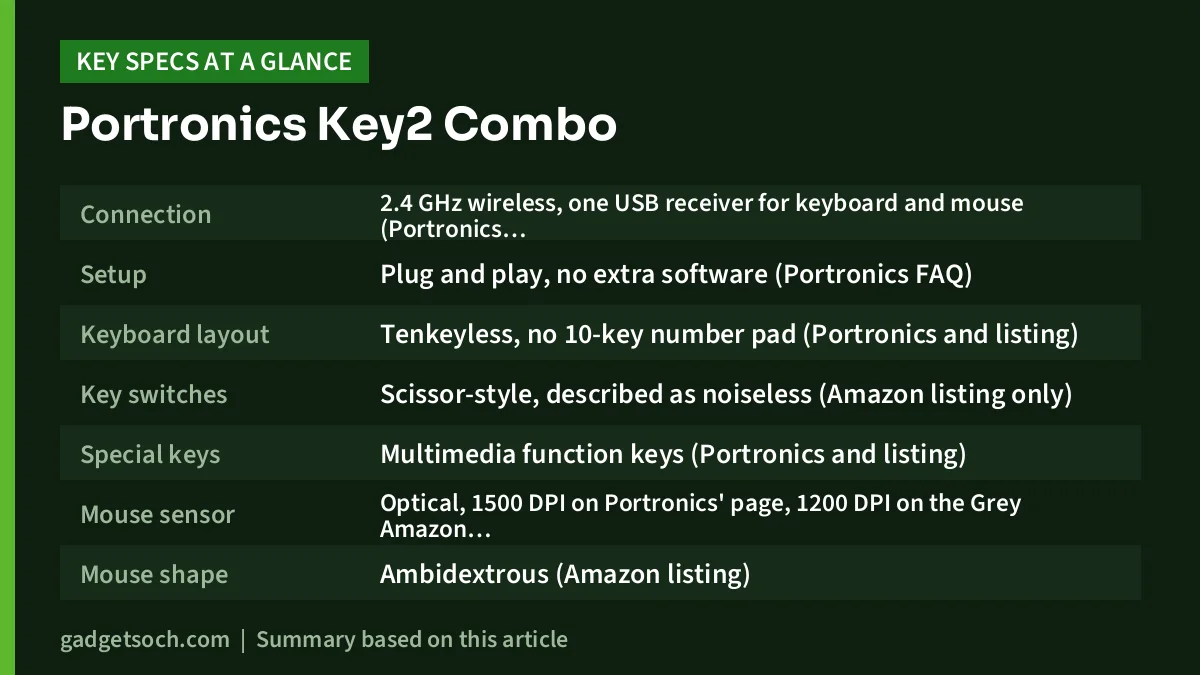
| Feature | What the sources say |
|---|---|
| Connection | 2.4 GHz wireless, one USB receiver for keyboard and mouse (Portronics and listing) |
| Setup | Plug and play, no extra software (Portronics FAQ) |
| Keyboard layout | Tenkeyless, no 10-key number pad (Portronics and listing) |
| Key switches | Scissor-style, described as noiseless (Amazon listing only) |
| Special keys | Multimedia function keys (Portronics and listing) |
| Mouse sensor | Optical, 1500 DPI on Portronics’ page, 1200 DPI on the Grey Amazon listing |
| Mouse shape | Ambidextrous (Amazon listing) |
| Rated life | 10 million keystrokes, 3 million mouse clicks (Amazon listing) |
| Power | Battery powered, auto sleep mode (Amazon listing). Battery type not stated by Portronics |
| Operating systems | Windows, macOS and Linux (Amazon listing) |
| Colour on linked listing | Grey, model POR-374 |
| Colours on Portronics’ page | White (POR-373), Black (POR-372) |
| Warranty | 12 months (Portronics), 1 year manufacturer warranty (listing) |
Checked on 17 October 2026. Portronics does not publish a wireless range, battery life, key count or dimensions on its Key2 page, so those rows are left out rather than guessed.
See the Portronics Key2 Combo in Grey on Amazon.in
Why tenkeyless matters more than any other spec here
The single biggest decision with the Key2 Combo is the layout. Tenkeyless (often shortened to TKL) means the keyboard drops the number pad on the right side. The Amazon listing states this plainly: it is not a full-layout keyboard and has no 10-key numeric pad.
That has two practical effects. First, the keyboard is narrower, so the mouse sits closer to your typing hand. You reach less to the right, which many people find more comfortable on a small desk or a study table in a shared room. Second, it is easier to carry in a bag if you move between home and office.
The cost is speed with numbers. If your day involves GST invoices, billing software, Tally entries or large Excel sheets, a dedicated number pad lets you type figures with one hand without looking. On a TKL keyboard you have to use the number row above the letters instead. For that kind of work, a full-size combo is a better fit, and we name two below.
Typing feel and noise
According to the Amazon.in listing, the Key2 keyboard uses scissor-style switches, the same general type found under many laptop keyboards, and the listing describes the typing as noiseless. Portronics’ own page lists “noise-free clicking” as a special feature. Scissor switches usually have shorter key travel than standard desktop membrane keys, so the Key2 is likely to feel closer to a laptop than to a traditional office keyboard.
Quiet keys are useful in a hostel room, a home where someone is sleeping, an open office or on video calls where a loud keyboard is picked up by the microphone. Keep expectations sensible, though: “noiseless” on a listing usually means quieter than a standard keyboard, not completely silent, and neither source gives a measured noise figure.
Multimedia keys
Both Portronics and the listing mention multimedia function keys. Neither source publishes a full key map, so check the listing photos if you depend on a specific shortcut, such as volume or playback control.
The mouse: small, ambidextrous and basic
The included mouse is described by the listing as ambidextrous, so it can be used in either hand. Portronics calls it lightweight and portable. It uses an optical sensor, but the resolution depends on which source you read: Portronics’ Key2 page says 1500 DPI, while the Grey listing title and bullets say 1200 DPI. Neither source mentions a DPI button. For office work, either figure is a normal range, and pointer speed can always be adjusted in your operating system settings.
The listing rates the mouse buttons for 3 million clicks. There is no mention of side buttons, so expect a basic left, right and scroll-wheel layout.
One receiver, and why you should not lose it
Portronics says the keyboard and mouse share a single receiver, and its FAQ describes each combo as having its own unique nano dongle. One receiver saves a USB port, which matters on thin laptops with only one or two USB-A ports.
The same FAQ carries an important warning: if the dongle is lost or damaged, Portronics says there is no additional support. It recommends storing the dongle in the slot on the base of the mouse when you are not using it. In practice, that means you should treat the receiver as part of the product. If you lose it, the keyboard and mouse may become unusable.
The receiver needs a USB-A port. If your laptop only has USB-C, plan for an adapter or hub. Because the set uses a 2.4 GHz receiver rather than Bluetooth, it will not connect directly to most phones and tablets.
Batteries and power
Portronics’ Key2 page does not state the battery type or battery life. The Amazon listing says the set is battery powered and lists “1 AA batteries required”, but it does not make clear whether that refers to the keyboard, the mouse or both. It also lists an auto sleep mode for saving energy. Since this is not fully clear, check the listing’s box contents and photos before you order, and keep a few AA cells (and AAA cells, just in case) ready on delivery day.
The listing’s “Number of Keys” field shows “3”, and the item weight shows 578 grams. The key count is clearly not the keyboard’s real key count, and the weight is likely to include packaging, so do not rely on either field.
Compatibility
The Amazon listing names Windows, macOS and Linux in its operating system field, although another field on the same listing names only Linux and Windows. Portronics’ page does not give a formal compatibility list. A receiver-based keyboard generally works as a standard USB keyboard, but Mac users should know that Windows-style keyboards put the Command and Option keys in different places, and some multimedia keys may behave differently on macOS.
Who the Key2 Combo makes sense for
- Students and home users who mostly type documents, emails and assignments
- Laptop users who want a proper external keyboard and mouse on a small desk
- Anyone who wants quieter typing for calls or shared rooms
- Buyers who want a simple plug-and-play set without installing software
Who should look elsewhere
- Accountants, data-entry staff and heavy spreadsheet users who need a number pad
- Tablet and phone users who need Bluetooth
- People who type in dim rooms and want backlit keys (none is mentioned)
- Anyone who wants a built-in rechargeable battery
- Mac users who want Mac-specific key labels
Alternatives worth comparing
Logitech MK270r: a full-size combo with a number pad and eight media keys on one 2.4 GHz receiver. Logitech rates the keyboard at up to 36 months on two AAA cells and the mouse at up to 12 months on one AA, quotes a 10 m range and a spill test with up to 60 ml of liquid, and lists a 3-year limited hardware warranty. Our Logitech MK270r review covers it in detail.
Dell KM3322W: also full-size with a number pad, with anti-fade, spill-resistant keys, a 1000 DPI mouse and a 3-year limited warranty with Advanced Exchange Service on Dell’s India page. Dell rates the keyboard at 36 months of battery life.
Portronics Bubble keyboard: if you want a compact keyboard that also works with tablets, the Bubble adds Bluetooth 5.0 alongside a 2.4 GHz receiver and can pair with up to three devices, according to Portronics. It is a keyboard only, so you would need a separate mouse. See our Portronics Bubble keyboard review.
Before you order: a quick checklist

- Colour and model: confirm the listing shows the Grey Key2 Combo, model POR-374, if that is the one you want.
- Layout: be sure you are happy without a number pad.
- Batteries: check whether batteries are in the box and which type each device takes.
- USB port: make sure you have a free USB-A port, or an adapter.
- Warranty: Portronics lists a 12-month warranty. Keep your invoice, since Portronics asks you to send it to help@portronics.com for claims.
- Receiver: store it in the slot under the mouse when travelling, because Portronics offers no separate support for a lost dongle.
Once you have checked those points, check the current price of the Portronics Key2 Combo on Amazon.in.
Frequently asked questions
Does the Portronics Key2 Combo have a number pad?
No. It uses a tenkeyless layout, and the Amazon listing states that it does not have the 10-key numeric pad. If you need one, look at a full-size combo such as the Logitech MK270r or Dell KM3322W.
Is the Key2 Combo Bluetooth?
No. Portronics lists 2.4 GHz wireless through one USB receiver shared by the keyboard and mouse. It does not list Bluetooth.
What DPI is the Key2 Combo mouse?
Portronics’ Key2 page says 1500 DPI, while the Grey Amazon listing (POR-374) says 1200 DPI. Either is fine for office work, but confirm with the listing if the exact figure matters to you.
What happens if I lose the USB receiver?
Portronics’ FAQ says there is no additional support for a lost or damaged dongle and recommends keeping it in the slot on the base of the mouse.
What warranty does the Key2 Combo have?
Portronics lists a 12-month warranty, and the Amazon listing says 1 year manufacturer warranty. Claims go through help@portronics.com or Portronics’ support number, with your invoice.
Bottom line
The Portronics Key2 Combo is a simple, compact wireless set for people who mostly type words, not numbers. A shared receiver, quiet keys and a small footprint are its strengths. The lack of a number pad, the missing battery and range figures in Portronics’ own specs, and the DPI difference between sources are the trade-offs. If a tenkeyless set fits your work, see the Grey Portronics Key2 Combo on Amazon.in.
Related reading on GadgetSoch: Amazon Basics Wireless Keyboard and Mouse Combo (AB26KW1) Review: Full-Size Keys and a Rupee Key and AMEXTRON ALS A1 Laptop Stand Review: Light Aluminium Riser, and What the Listing Leaves Out.
Sources
- Portronics Key2 Combo official product page (connection, single receiver, tenkeyless layout, noise-free keys, multimedia keys, 1500 DPI mouse, colours and model codes, dongle FAQ, warranty), checked 17 October 2026
- Amazon.in listing for ASIN B0BHYJ8CVF, Portronics Key2 Combo Grey (title, feature bullets and technical details, seller-provided), captured 17 October 2026
- gadgetsoch Logitech MK270r and Portronics Bubble reviews, based on Logitech and Portronics official pages (alternative details)
- Dell KM3322W official product page (India) (alternative details), checked 17 October 2026