

The Zebronics Zeb-Sharp Pro is a USB webcam that records at 2048 x 1536 (QXGA) and 30 frames per second, with autofocus, a built-in noise-cancellation microphone, a privacy shutter and tripod support, according to Zebronics’ official product page. It is a sensible upgrade for anyone whose laptop camera looks soft on Zoom, Google Meet or Microsoft Teams, and for desktop PC users who have no camera at all. It is not a creator camera, and its low-light help is software white balance, not extra light.
The variant covered here is the black ZEB-Sharp Pro sold on Amazon.in under the title that mentions 30 FPS, 2048 x 1536 QXGA, microphone, autofocus and privacy shutter.
How this article was put together: specifications come from the official Zebronics Zeb-Sharp Pro product page and the Amazon.in listing, both checked on 17 October 2026. We could not find independent published tests of this specific webcam, and we have not tested it hands-on, so there are no claims here about how sharp, colourful or clear it looks or sounds in real use.
At a glance
- Best for: office video calls, online classes, interviews and desktop PCs without a built-in camera
- Skip if: you need a wide field of view for a group in a meeting room, a 60 FPS camera for streaming, or a published microphone specification
- Key strengths: 2048 x 1536 resolution at 30 FPS, autofocus, 5P lens, privacy shutter, tripod support, 1.5 m cable (official figures)
- Key limitations: no published field-of-view figure, 4:3 sensor output will be cropped in most 16:9 call layouts, no independent image or mic tests found, USB 2.0 interface, weight figures differ between Zebronics and the listing
Zebronics Zeb-Sharp Pro specifications
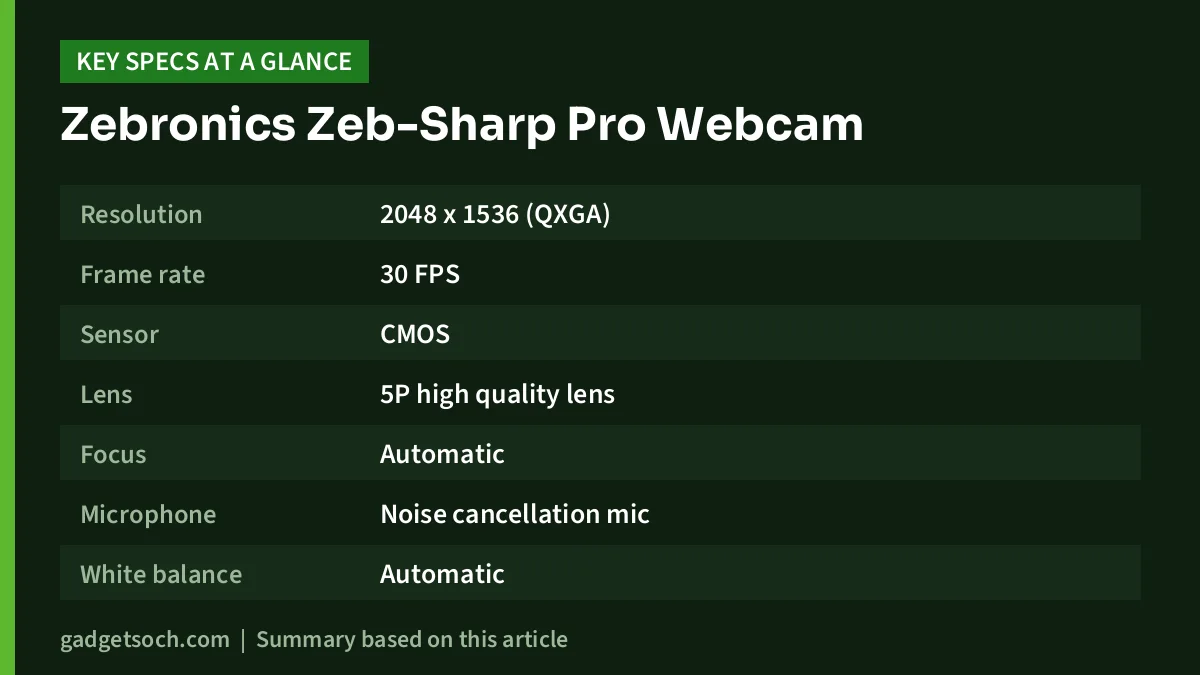
| Specification | Official Zebronics figure | Amazon.in listing |
|---|---|---|
| Resolution | 2048 x 1536 (QXGA) | 2048 x 1536 QXGA, also labelled 2K |
| Frame rate | 30 FPS | 30 FPS |
| Sensor | CMOS | CMOS |
| Lens | 5P high quality lens | Focal length 3.2 mm, aperture f/1.8 |
| Focus | Automatic | Auto focus |
| Microphone | Noise cancellation mic | Built-in mic |
| White balance | Automatic | Automatic |
| Privacy | Dedicated privacy shutter | Dedicated privacy shutter |
| Mounting | Tripod support | Built-in stand plus tripod support |
| Interface | USB 2.0 | USB |
| Cable length | 1.5 m | Not stated |
| Size (W x D x H) | 9 x 5.7 x 5.6 cm | 9 x 5.7 x 5.6 cm |
| Weight | 114 g net | 90 g |
| Video format | Not stated | MJPEG |
| Still image | Not stated | 3 MP, 4:3, JPEG |
| In the box | Webcam | Not stated |
| Country of origin | India | Not stated |
Where the two sources differ, such as weight, the official Zebronics figure is the safer one to rely on. Check the current price of the Zebronics Zeb-Sharp Pro webcam on Amazon.in.
What QXGA and “2K” actually mean
QXGA is a 2048 x 1536 resolution, which works out to roughly 3.1 megapixels. That is more pixels than a 1080p (1920 x 1080) webcam, which is about 2.1 megapixels. The Amazon.in listing calls it 2K, which is a loose marketing label rather than a standard video format.
The important detail is the shape. 2048 x 1536 is a 4:3 image, the same aspect ratio the listing gives for still photos. Most video calls, YouTube and screen layouts are 16:9 widescreen. When a 4:3 image is shown in a 16:9 frame, apps either crop the top and bottom or show black bars at the sides. In practice, your face and shoulders will still fit comfortably, but do not expect a wider view just because the resolution number is higher.
Also keep in mind that video calling apps compress video and often send lower resolution than your camera can capture, depending on your internet speed and the app’s settings. A higher-resolution sensor still helps, because the app starts from a cleaner, more detailed image before compressing it, but the jump on a call will usually be smaller than the spec sheet suggests.
Autofocus and the 5P lens
Zebronics lists autofocus and a 5P lens, meaning a lens made of five plastic elements. Autofocus matters more than many people expect. Fixed-focus webcams are set for a typical sitting distance, so if you lean in to show a document or a product, the image goes soft. An autofocus camera can refocus on the closer object, which is useful for teachers showing notebooks, sellers showing products, or anyone holding up a document during a meeting.
The listing adds an f/1.8 aperture and a 3.2 mm focal length. A wide aperture lets in more light, which helps indoors. Zebronics does not publish a field-of-view angle, so you cannot tell from the specs how much of the room it shows. If you need to fit two or three people on a sofa or a meeting table into the frame, that missing figure is a real gap.
Low light: what automatic white balance can and cannot do
Both Zebronics and the listing mention automatic white balance, and the listing says it helps adjust the picture even in low light. White balance corrects colour casts, for example the yellow tint from a warm bulb or the blue tint from a tube light. It does not make a dark room brighter.
The single best upgrade for any webcam, including this one, is light in front of your face. A window in front of you during the day, or a small ring light or desk lamp at night, will usually do more for image quality than extra resolution. If you want to set up lighting properly, our YouTube starter kit guide covers affordable ring lights and stands. Avoid sitting with a bright window behind you, which turns your face into a silhouette.
The built-in microphone
Zebronics describes the Sharp Pro as a noise cancellation mic but publishes no further details, such as pickup pattern or frequency range. The listing says PCM is the supported audio format. A webcam mic sits further from your mouth than a headset mic, so it picks up more room echo and background noise, and noise cancellation can only reduce some of that.
For one-to-one calls in a quiet room, a built-in webcam mic is usually acceptable. For noisy homes, shared offices, interviews or recording voice-overs, a headset or a separate clip-on microphone will give clearer voice. If you hear echo on calls, check that the app is using the Sharp Pro you intend, as many laptops will offer both the laptop mic and the webcam mic.
Privacy shutter, mounting and build
The dedicated privacy shutter is a simple physical cover you slide over the Sharp Pro when you are not on a call. Unlike software switches, it gives clear visual confirmation that the camera cannot see you, which is reassuring for home users and children’s study laptops.
The listing says the built-in stand lets you fix the Sharp Pro on top of a monitor, and both sources mention tripod support for placing it on a desk tripod or stand instead. A tripod is handy when your monitor is thin, when you want the camera at eye level on a laptop stand setup, or when you record from a different angle. Zebronics lists the body at 9 x 5.7 x 5.6 cm and the net weight at 114 g, while the listing says 90 g.
Compatibility and setup
Zebronics lists a USB 2.0 interface with a 1.5 m cable. The listing says it works with laptops and Mac computers for Zoom, Skype and Discord, and with PCs and tablets through USB. Zebronics’ own page does not include a compatibility list, so treat operating system support as the listing’s claim. The Sharp Pro type is not specified in text on either source, so check the photos: if your laptop only has USB-C ports, you may need an adapter.
- Plug the webcam directly into a USB port on your computer, avoiding unpowered hubs where possible
- Wait for the computer to detect it, then open the camera settings in Zoom, Meet, Teams or your browser
- Select the Zebronics camera and the matching microphone if you want to use the built-in mic
- Check the preview and adjust the clip or tripod so the camera is at eye level
- Open the privacy shutter before the call and close it afterwards
The listing mentions an SDHC flash memory type, but neither source describes a memory card slot, so do not plan around storing video on the Sharp Pro itself.
Who should buy it, and who should skip it

- Buy it if your laptop camera is blurry or you use a desktop PC without a camera
- Buy it if you often show documents, products or handwriting on camera, where autofocus helps
- Buy it if you want a physical privacy shutter
- Skip it if you stream games or fast motion and want 60 FPS
- Skip it if you need a known wide field of view for group meetings
- Skip it if audio quality matters most, in which case put the money towards a headset or microphone first
Alternatives worth comparing
Zebronics Zeb-Crisp Pro: a 1920 x 1080 webcam at 30 FPS with fixed focus, a built-in mic, automatic white balance, night vision and a manual LED switch, according to Zebronics, with a 1.58 m cable. It gives up autofocus and resolution compared with the Sharp Pro, but adds the LED and night vision features.
Zebronics Zeb-Ultimate Pro: a 1920 x 1080 webcam at 30 FPS with a 5P lens, built-in mic, automatic white balance and a manual LED switch, per Zebronics. Zebronics does not list a focus type for it, so check the listing if autofocus matters to you.
Before you order

- Exact model: confirm the listing says ZEB-Sharp Pro with 2048 x 1536 QXGA and 30 FPS, as Zebronics sells several similar-looking webcams
- Port: check the plug in the photos against your laptop’s ports
- Field of view: it is not published, so if you need a wide shot, look for a webcam that states one
- Warranty: Zebronics’ product page links to its warranty policy but does not state the term for this model, so confirm the warranty period on the listing before buying and keep your invoice
- Box contents: Zebronics lists only the webcam in the box, so no tripod is included
When those points check out, see the Zebronics Zeb-Sharp Pro QXGA webcam on Amazon.in.
Frequently asked questions
Is the Zebronics Zeb-Sharp Pro a 2K webcam?
The listing calls it 2K. Its actual resolution is 2048 x 1536 (QXGA) at 30 FPS, which is higher than 1080p but in a 4:3 shape.
Does the Zeb-Sharp Pro have autofocus?
Yes. Zebronics lists automatic focus with a 5P lens.
Does it have a microphone?
Yes. Zebronics lists a noise cancellation microphone, but it publishes no further mic specifications.
Does the Zeb-Sharp Pro work with a Mac?
The Amazon.in listing says it is compatible with laptops and Mac for Zoom, Skype and Discord. Zebronics’ official page does not list compatibility, so treat this as the listing’s claim.
Is a tripod included?
No. The camera supports a tripod, but Zebronics lists only the webcam in the box.
Verdict
On paper, the Zebronics Zeb-Sharp Pro covers what most home and office users need: more resolution than a typical 1080p webcam, autofocus, a privacy shutter and a flexible mount. The gaps are a missing field-of-view figure, a 4:3 image that gets cropped on widescreen calls, an unspecified microphone and no independent tests to confirm image quality. Pair it with good front lighting and, if voice clarity matters, a headset. Check the current price of the Zebronics Zeb-Sharp Pro on Amazon.in.
Related reading on GadgetSoch: Kreo Owl Lite Review: A 1080p 30fps Webcam for Calls and Classes, Explained and Amkette XS Series Flow Review: 4-Device Ergonomic Mouse With Side Scroll, Explained.
Sources
- Zebronics Zeb-Sharp Pro official product page: resolution, frame rate, sensor, lens, focus, mic, interface, cable, size, weight, features, box contents, country of origin, checked 17 October 2026
- Amazon.in product listing for Zebronics Sharp PRO webcam (ASIN B0CDGPXD23): title, feature bullets and technical details, checked 17 October 2026
- Zebronics Zeb-Crisp Pro official product page, checked 17 October 2026
- Zebronics Zeb-Ultimate Pro official product page, checked 17 October 2026




