The Sounce 3.5 Inch Hard Drive Docking Station is a USB 3.0 dock that lets you connect a bare 3.5-inch or 2.5-inch SATA hard drive or SSD to a laptop or desktop, with its own 12V/2A power adapter for full-size desktop drives. It is a sensible, low-fuss tool if you have old internal drives to read, back up or reuse, but it is a desk accessory rather than a portable drive, and nearly every specification comes from the seller’s own listing.
The variant covered here is the one sold on Amazon.in as “Sounce 3.5 Inch Hard Drive Enclosure USB 3.0 External Hard Drive Docking Station”, colour listed as Silver-Black 2.0, with a 12V/2A power supply in the box. Sounce is a tech accessories brand that sells in India through its own website, sounce.com, as well as on Amazon.in.
How this article was put together: it is based on the Amazon.in listing (captured on 17 October 2026) and Sounce’s own website, checked the same day. We could not find a dedicated official specification page or an independent review for this exact dock, and we have not tested it hands-on, so there are no speed results here. Where a figure comes only from the listing, we say so.
Quick verdict
- Best for: reading and recovering data from old desktop or laptop drives, cloning a drive before an upgrade, and turning a spare 3.5-inch hard drive into a large backup disk
- Skip if: you want a drive to carry around every day, or your computer only has USB 2.0 ports
- Key strengths: takes both 3.5-inch and 2.5-inch SATA drives, tool-free drive insertion, separate 12V/2A power for desktop drives, UASP support and drives up to 16TB according to the listing
- Key limitations: specifications are seller claims only, USB 3.0 caps the link at 5Gbps, the listing’s operating system list names only Windows versions, and it holds a single drive
Key specifications (from the Amazon.in listing)
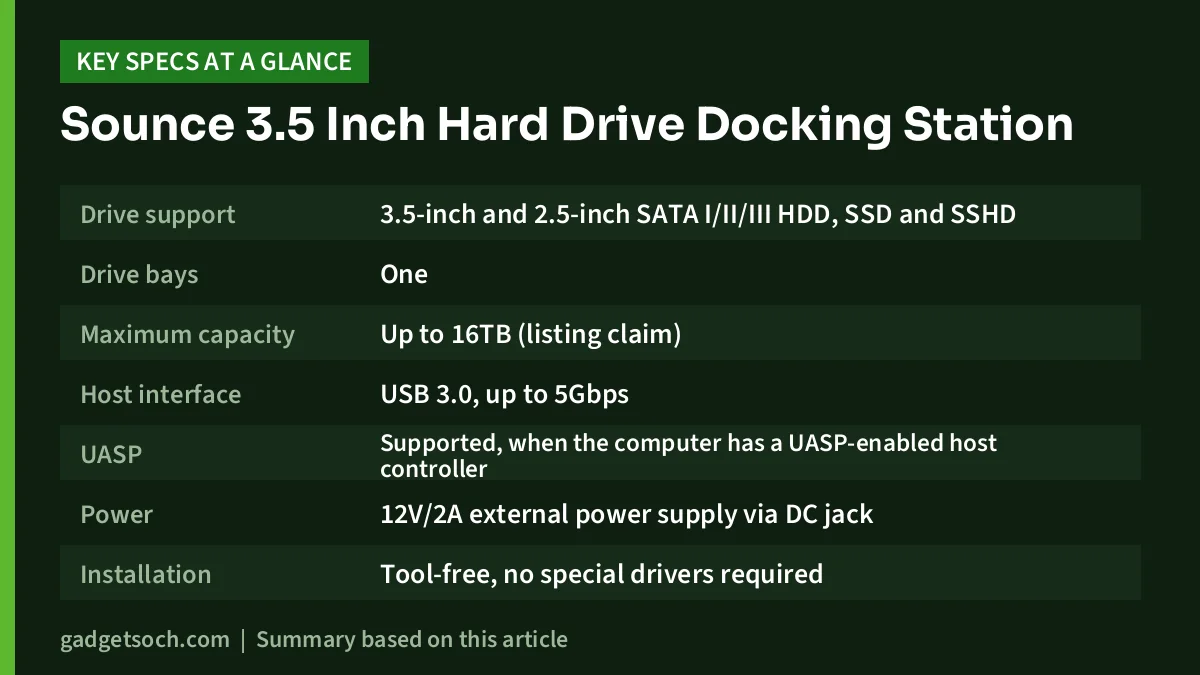
| Specification | What the Amazon.in listing says |
|---|---|
| Drive support | 3.5-inch and 2.5-inch SATA I/II/III HDD, SSD and SSHD |
| Drive bays | One |
| Maximum capacity | Up to 16TB (listing claim) |
| Host interface | USB 3.0, up to 5Gbps |
| UASP | Supported, when the computer has a UASP-enabled host controller |
| Power | 12V/2A external power supply via DC jack |
| Installation | Tool-free, no special drivers required |
| Operating systems named | Windows 10, 8.1, 8, 7, Vista, XP and “other operating systems” |
| Body material | ABS plastic |
| Dimensions | 10 x 5 x 10 cm |
| Weight | 200 g |
| Colour | Silver-Black 2.0 |
| In the box | Dock, cable, power adapter |
| Warranty | 1 year manufacturing warranty (listing) |
Check the current price of the Sounce 3.5 Inch Hard Drive Docking Station on Amazon.in
What this dock actually does
A dock like this is a bridge. On one side is a SATA connector that a bare drive plugs into, and on the other is a USB 3.0 connection to your computer. Once the drive is seated and powered, Windows sees it as an ordinary external disk. The Amazon.in listing names four jobs it is meant for: adding storage, running backups, creating disk images and data recovery.
The listing calls the product both an “enclosure” and a “docking station”. Its listed dimensions of 10 x 5 x 10 cm are shorter than a standard 3.5-inch desktop drive, so the drive will most likely stand partly outside the unit rather than being fully closed in. Look carefully at the listing photos before ordering if you were expecting a sealed case that protects the drive from dust and knocks.
Why the 12V/2A power supply matters
A 2.5-inch laptop drive can usually run on the 5V power that a USB port provides, but a 3.5-inch desktop hard drive also needs a 12V supply to spin its motor. The listing says the dock includes a 12V/2A adapter that plugs into a DC jack, and it states that external power is essential for 3.5-inch SATA drives. In practice that means the dock has to sit near a power socket whenever you use it, which is the main reason it belongs on a desk rather than in a laptop bag.
The listing does not state the adapter’s input voltage range or plug type. When the dock arrives, read the label on the adapter before plugging it in: for Indian sockets you need an input rating that covers 230V at 50Hz and a plug that fits Indian sockets without a travel converter. If either detail is missing or wrong, contact the seller before using it.
Speed: what 5Gbps and UASP mean in practice
The listing quotes up to 5Gbps, which is the raw signalling rate of USB 3.0 (the same standard is also sold as USB 3.2 Gen 1). With a typical spinning hard drive, the drive mechanism is usually the bottleneck rather than the USB link, so a mechanical disk should run close to its own native speed. A SATA SSD is different: it can outrun a USB 3.0 bridge, so with an SSD the dock, not the drive, will set the ceiling.
UASP (USB Attached SCSI Protocol) lets the computer send commands to the drive more efficiently than the older Bulk-Only Transport mode, which mainly helps SSDs. The listing is clear that you only get this benefit when the computer’s USB controller supports UASP, and older machines may fall back to the slower mode. Because we found no independent measurements of this dock, we cannot tell you how fast it actually is.
Compatibility: drives, capacity and operating systems
Drives. The listing says the dock accepts SATA I, II and III drives in 2.5-inch and 3.5-inch sizes, including hard drives, SSDs and SSHDs (hybrid drives). It does not mention IDE/PATA, mSATA or M.2 drives, so assume those will not fit.
Capacity. The listing claims support for drives up to 16TB. Very large drives need a GPT partition table, because the older MBR scheme cannot address space beyond roughly 2TB. Windows Disk Management lets you choose GPT when you initialise a new, empty drive.
Operating systems. The listing names Windows 10, 8.1, 8, 7, Vista and XP, plus “other operating systems”, and says no special drivers are needed, which is normal for USB storage bridges. It does not specifically name Windows 11, macOS, Linux, smart TVs or Android devices, so ask the seller if you depend on any of those.
Practical uses, and a safe setup routine
These are the most common reasons people buy a dock like this:
- After an SSD upgrade: the old 1TB or 2TB hard drive from a desktop or laptop can become a backup disk instead of sitting in a drawer
- Data recovery: read files from a PC or laptop that no longer boots, without opening up another computer
- Cloning: connect a new SATA SSD over USB and clone your existing drive with cloning software before swapping it in
If you are planning a laptop storage upgrade and want to reuse the old drive this way, our laptop RAM and SSD upgrade guide explains how to check which replacement drive fits.
A simple routine that avoids most problems:
- Connect the power adapter to the dock and the wall socket before inserting a 3.5-inch drive
- Push the drive firmly into the SATA slot, label facing the way shown in the listing photos
- Plug the USB cable into a USB 3.x port on your computer, then power the dock on
- For a brand-new drive, open Disk Management on Windows, initialise it as GPT and create a partition
- Always use Safely Remove Hardware or Eject before switching off or pulling the drive out
Who should buy it, and who should skip it
Buy it if you have one or more bare SATA drives from old computers and want an inexpensive, simple way to read them, back them up or reuse them as external storage. It also suits small offices that occasionally pull data from old drives, and anyone who keeps archives on 3.5-inch disks.
Skip it if you need storage you can carry every day. A ready-made portable drive is sturdier, needs no adapter and is easier to use. Also skip it if your only computer has USB 2.0 ports (you will lose most of the speed benefit), if your drives are M.2 or IDE, or if you need a brand with a published official specification sheet.
Alternatives worth comparing
Sounce USB 3.0 to SATA 2.5-inch enclosure: Sounce’s own website lists a 2.5-inch-only enclosure with USB 3.0 (5Gbps), tool-free assembly and support for drives up to 4TB. It was shown as sold out on sounce.com on 17 October 2026.
WD My Passport 6TB: a ready-made portable hard drive from Western Digital with a USB 3.2 Gen 1 interface, password protection with 256-bit AES hardware encryption and a 3-year limited warranty. It is the easier choice if you are buying new storage rather than reusing old drives.
SanDisk Extreme Portable SSD 1TB: rated by SanDisk for up to 1050MB/s read and 1000MB/s write, with IP65 water and dust resistance and up to 3-metre drop protection. It is far faster and tougher than any hard drive in a dock. Our SanDisk Extreme Portable SSD 1TB review covers it in detail.
What to check before you order
- Confirm the listing title says 3.5 Inch, USB 3.0 and 12V/2A Power Supply, and that the colour matches what you expect
- Study the photos to see how the drive sits in the dock
- Check that the adapter label shows a 230V-compatible input and an Indian plug when it arrives
- Check whether the supplied cable fits your computer, since the listing does not say if it is USB-A or USB-C on the computer end
- Keep the invoice for the 1-year warranty, and note that sounce.com has a warranty registration page
See the Sounce 3.5 Inch Hard Drive Docking Station (Silver-Black 2.0, 12V/2A) on Amazon.in
Frequently asked questions
Can the Sounce dock run a 3.5-inch hard drive without its adapter?
No. According to the Amazon.in listing, external power is essential for 3.5-inch SATA drives, which is why the 12V/2A adapter is included.
Will it work with a 2.5-inch laptop SSD?
Yes, the listing says it supports 2.5-inch SATA SSDs as well as hard drives. Keep in mind that USB 3.0 will limit how fast a SATA SSD can run, especially if your computer does not support UASP.
Does it work with a Mac?
The listing only names Windows versions plus “other operating systems”. USB storage bridges generally do not need drivers, but Sounce does not explicitly list macOS, so confirm with the seller. A drive formatted as NTFS will be read-only on a Mac unless you reformat it or add NTFS software.
Can it recover data from a laptop that will not start?
If the laptop uses a 2.5-inch SATA drive and the drive itself is healthy, you can remove it, put it in the dock and copy files off on another computer. It will not help with M.2 SSDs, and a physically failing drive needs a professional recovery service.
Final word
The Sounce 3.5 Inch Hard Drive Docking Station does a simple job: it turns bare SATA drives into USB storage. The included 12V/2A adapter, support for both drive sizes and the listing’s 16TB and UASP claims make it a practical tool for backups, cloning and data recovery at a desk. The trade-offs: seller-only specifications, an exposed drive and a dock tied to a power socket. If that suits how you work, check the current price of the Sounce docking station on Amazon.in and confirm the variant before you order.
Related reading on GadgetSoch: Crucial P3 Plus vs Crucial P510: Which 1TB NVMe SSD Should You Buy? and Crucial P510 1TB Review: Gen5 Speed That Stays Cool, With Caveats.
Sources
- Amazon.in listing for the Sounce 3.5 Inch Hard Drive Enclosure USB 3.0 Docking Station, ASIN B0D9SYMCWS, title, feature bullets and technical details captured 17 October 2026
- Sounce official website (sounce.com), brand, 2.5-inch enclosure listing and warranty information, checked 17 October 2026
- Newegg Business listing for WD My Passport 6TB (WDBR9S0060BBK-WESN), alternative specifications, checked 17 October 2026
- Amazon.in listing for SanDisk Extreme 1TB Portable SSD (ASIN B0F63CGD8B), alternative specifications, captured 17 October 2026