The Zebronics Juke Bar 9550 Pro is a 5.2-channel Dolby Audio home theatre soundbar system rated at 625W RMS in total, built around a three-driver soundbar, two wireless subwoofers and two wired rear satellites. It suits buyers in India who want real rear speakers and a lot of bass for movies in a medium or large living room, and who are fine with a big, heavy setup. The short verdict: on paper it is a complete surround package in one box, but its bass-heavy hardware needs space, and its listing has a few contradictions you should check before ordering.
This article is based on Zebronics’ official product page and the Amazon.in listing data, both checked on 17 October 2026. We have not tested this Zebronics Juke Bar 9550 Pro hands-on, and no independent lab review of this exact model was available to us, so there are no sound-quality verdicts or test numbers here, only what the specifications mean in practice.
The Amazon.in listing linked on this page is titled as the 625W, Silver version, while the same listing’s technical details describe the colour as “Black, 625W”. Confirm the colour shown on the listing before you place the order.
Quick verdict
- Best for: movie and sports watchers who want true 5.2 surround with separate rear speakers and two subwoofers
- Skip if: you want Dolby Atmos height effects, a compact setup, or live in a small flat with close neighbours
- Key strengths: 625W RMS total, dual 16.51cm subwoofers, three-driver centre bar, Bluetooth 5.3, HDMI ARC plus optical, LED display, wall-mount bracket in the box
- Key limitations: Dolby Audio only (no Atmos), no HDMI eARC or HDMI input listed, heavy (12.4 kg total per Zebronics), rear satellites are wired, colour and satellite type are described inconsistently on the listing
Key specifications
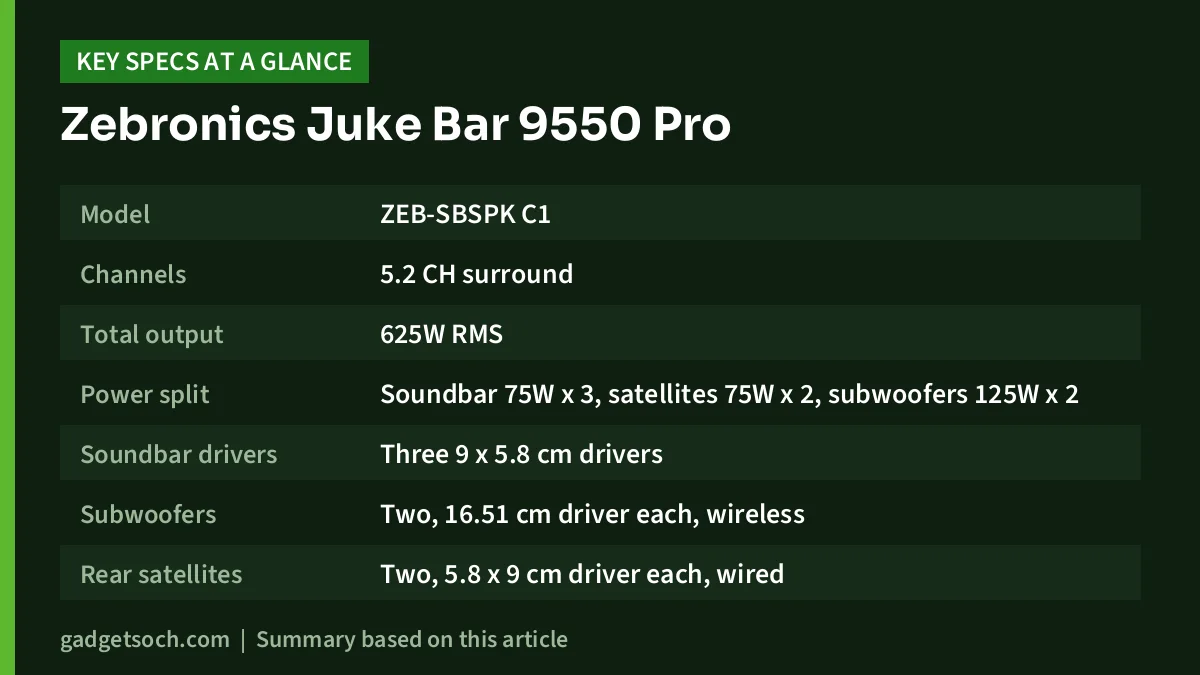
| Specification | Zebronics Juke Bar 9550 Pro (official page unless noted) |
|---|---|
| Model | ZEB-SBSPK C1 |
| Channels | 5.2 CH surround |
| Total output | 625W RMS |
| Power split | Soundbar 75W x 3, satellites 75W x 2, subwoofers 125W x 2 |
| Soundbar drivers | Three 9 x 5.8 cm drivers |
| Subwoofers | Two, 16.51 cm driver each, wireless |
| Rear satellites | Two, 5.8 x 9 cm driver each, wired |
| Audio format | Dolby Audio |
| Frequency response | 35Hz to 18kHz (listing says 40 Hz at the low end) |
| S/N ratio | 75dB or more (listing says 70 dB) |
| Bluetooth | v5.3 |
| Wired inputs | HDMI (ARC), Optical IN, 3.5mm AUX, USB (MP3, up to 32GB) |
| Display | LED display |
| Soundbar size | 96 x 9 x 7.2 cm |
| Subwoofer size | 19 x 30.6 x 36.7 cm (each) |
| Satellite size | 7.2 x 9 x 19 cm (each) |
| Total weight | 12.4 kg (listing says 11.9 kg) |
| Warranty | 1 year, carry-in to service centre (per the Amazon.in listing) |
Check the current price of the Zebronics Juke Bar 9550 Pro on Amazon.in
What 5.2 channels and 625W actually mean
The “5.2” label tells you how the sound is split. The five main channels are front left, centre and front right (handled by the three drivers in the Zebronics Juke Bar 9550 Pro) plus two rear channels (the satellites). The “.2” means two dedicated low-frequency units, which here are two separate subwoofers, each with a 16.51 cm (6.5-inch) driver and a rated 125W.
Why does that matter? A soundbar that only has a virtual surround mode tries to trick your ears from the front. A system with physical rear speakers can actually place sound behind you, which is what makes rain, crowds or a helicopter fly-over feel like they wrap around the room. Two subwoofers, rather than one, can also spread bass more evenly so it does not boom in one corner and vanish in another, although placement matters a lot.
The 625W figure is the sum of every driver’s rated output. It is not a measure of how loud or how good the system will sound, and wattage ratings are not standardised across brands. Treat it as a sign that this is a large, room-filling system, not as a number to compare directly against another brand’s box.
Dolby Audio, not Dolby Atmos
Zebronics lists “Dolby Audio” on the official page without naming a specific Dolby format. What matters for buyers is the difference from Dolby Atmos: the Juke Bar 9550 Pro has no up-firing or height drivers and Zebronics does not claim Atmos support, so it will not create overhead effects. If you specifically want Atmos, Zebronics sells a separate model, the Juke Bar 9850 DWS Pro Dolby Atmos, covered in the alternatives below.
Design, size and the space you will need
This is not a small purchase to fit under a 32-inch TV. Zebronics lists the soundbar at 96 cm wide, 9 cm deep and 7.2 cm tall, so it suits roughly a 43-inch or larger television visually. Each subwoofer is 19 x 30.6 x 36.7 cm, and you get two of them. The rear satellites are compact at 7.2 x 9 x 19 cm each.
The official total weight is 12.4 kg, while the Amazon.in listing gives 11.9 kg. Either way, plan your TV unit space and the floor area for two subwoofers before ordering.
According to the Amazon.in listing, the soundbar has RGB LED lights. The official product page does not mention RGB lighting, so treat it as the listing’s claim and check the product images if lighting matters to you. Both sources agree there is an LED display that shows the active mode, which is useful when you switch between HDMI ARC, optical and Bluetooth.
Wireless subwoofers, wired satellites
The official page calls the subwoofers “Dual Wireless Subwoofers” and the rear speakers “Dual Wired Rear Satellites”. The Amazon.in listing title agrees (“Dual Wireless Subwoofer & Wired Satellite”), but one of its feature bullets describes “dual wireless rear satellites”. We are going by the official page and the listing title: plan on running cables to the rear speakers. Wireless subwoofers still need their own mains power socket each, so check that you have two free sockets where they will sit.
Connectivity: HDMI ARC, optical, Bluetooth 5.3
The main way to connect a modern TV is HDMI ARC. One HDMI cable from the TV’s ARC port lets the TV send its audio to the soundbar, and on many TVs the TV remote can then control the soundbar’s volume through HDMI-CEC (this depends on your TV). Zebronics includes an HDMI cable in the box per the official page.
If your TV has no ARC port, the optical input is the fallback. Older TVs and set-top boxes often have only a 3.5mm headphone or line-out, which the AUX input can take. Bluetooth 5.3 handles phone and tablet streaming, and the USB port plays MP3 files from a pen drive of up to 32GB.
What is missing: Zebronics does not list HDMI eARC or an HDMI input with passthrough. That means you cannot plug a console or streaming box into the soundbar and pass video through it, and you should not expect lossless formats that need eARC. Connect your devices to the TV instead and send audio back over ARC.
Who should buy it, and who should skip it
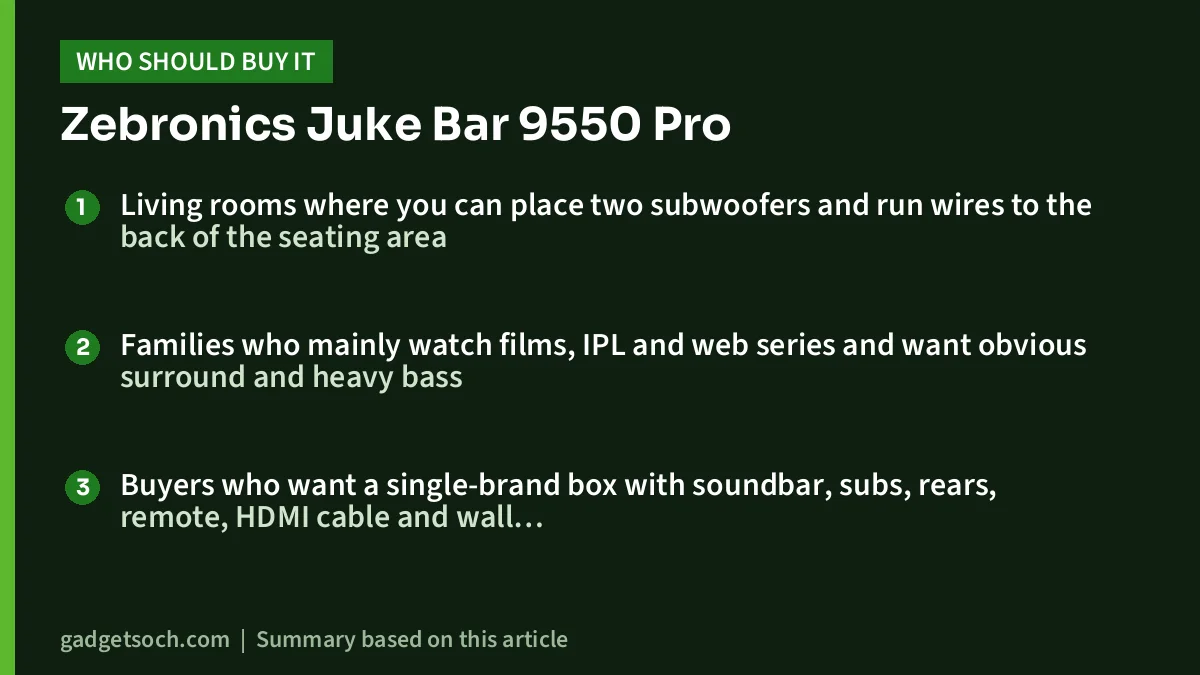
Good fit
- Living rooms where you can place two subwoofers and run wires to the back of the seating area
- Families who mainly watch films, IPL and web series and want obvious surround and heavy bass
- Buyers who want a single-brand box with soundbar, subs, rears, remote, HDMI cable and wall bracket included
Better to skip
- Small rooms or rented flats where two subwoofers will be too much for walls and neighbours
- Anyone who wants Dolby Atmos or HDMI eARC for a high-end TV
- Buyers who need a fully wireless rear setup with no cables to the back
Alternatives worth comparing
Zebronics Juke Bar 9850 DWS Pro Dolby Atmos: Zebronics’ own step up. The official page lists 725W RMS, a 5.2.4 channel layout, Dolby Atmos, two wireless subwoofers, wireless rear satellites (each with its own power adapter), Bluetooth 5.3 and HDMI eARC. Consider it if Atmos and fewer rear cables matter.
Zebronics Juke Bar 9510WS Pro Dolby 5.1: A slightly smaller 5.1 system. Zebronics lists 600W RMS with a single 16.51 cm subwoofer, two rear satellites, Dolby Audio and Bluetooth 5.1. One subwoofer instead of two means less bulk.
boAt Aavante Bar A2060 Dolby: If you mainly want clearer TV sound without rear speakers, boAt lists this as a 160W, 2.1-channel Dolby Audio soundbar with a wired 6.5-inch subwoofer, Bluetooth 5.3 and HDMI ARC. It is far simpler to set up but gives no true surround.
What to check before you order

- Colour: the listing title says Silver but its details say Black. Confirm on the product images.
- Your TV’s ports: look for a port marked HDMI ARC or eARC. If there is none, check for optical out.
- Power sockets: the soundbar and each wireless subwoofer need mains power. Plan sockets near each.
- Cable route to the rears: the satellites are wired per Zebronics, so measure the distance and plan how to hide the wire.
- Wall mounting: a bracket with fasteners is included, but check your wall type and whether the TV’s base will block the bar.
- Warranty: the listing states 1 year carry-in to a service centre. Check that a Zebronics service centre is reachable from your city and keep the invoice.
If you are still choosing the TV to pair with this system, our guide to the best 32-inch and 43-inch smart TVs is a good starting point. Check that the TV you pick has an HDMI ARC port.
See the Zebronics Juke Bar 9550 Pro (625W) listing on Amazon.in and confirm the colour before you buy.
Setting it up for the best result
Place the soundbar centred under the TV and keep its front clear of the TV stand lip, which can block the drivers. Put the rear satellites slightly behind or beside your main seat, at roughly ear height when seated if possible. For the two subwoofers, a common starting point is placing them at different spots along the front wall, then adjusting by ear until bass sounds even across the sofa.
Set your TV’s audio output to the external speaker or ARC option and, if your TV offers it, turn on HDMI-CEC. Then set the TV’s own speakers off so you do not get an echo.
Frequently asked questions
Does the Zebronics Juke Bar 9550 Pro support Dolby Atmos?
No. Zebronics lists Dolby Audio and a 5.2 channel layout without height drivers. The Atmos model in the range is the Juke Bar 9850 DWS Pro.
Are the rear speakers wireless?
According to the official page and the Amazon.in listing title, the subwoofers are wireless and the rear satellites are wired. One listing bullet says otherwise, but the official specification says wired.
Can I connect it to a TV without HDMI ARC?
Yes. You can use the optical input, the 3.5mm AUX input, or Bluetooth if your TV supports Bluetooth audio output.
What comes in the box?
Per Zebronics: the soundbar, two subwoofers, two satellites, a remote, an input cable, an HDMI cable, a wall-mount bracket with fasteners and a QR code guide. The Amazon.in listing also mentions a power adapter for the surround units.
Final verdict
The Zebronics Juke Bar 9550 Pro makes sense if you want the physical ingredients of a home theatre (rear speakers, two subwoofers and a dedicated centre) in one box, and you have the room to place them. It is not the right pick for Atmos fans or small spaces, and you should double-check the colour and cabling details on the listing. Check the current price of the Zebronics Juke Bar 9550 Pro on Amazon.in.
Related reading on GadgetSoch: Zebronics Juke Bar 10000 Review: 7.2.4 Dolby Atmos System With Wireless Rears and a UHF Mic and Zebronics Zeb-Bro Review: 3.5mm Wired Earphones With Mic, Specs Explained.
Sources
- Zebronics: Zeb Juke Bar 9550 Pro Dolby 5.2 official product page (checked 17 October 2026)
- Zebronics: Zeb Juke Bar 9850 DWS Pro Dolby Atmos product page (checked 17 October 2026)
- Zebronics: Zeb Juke Bar 9510WS Pro Dolby 5.1 product page (checked 17 October 2026)
- boAt: Aavante Bar A2060 Dolby product page (checked 17 October 2026)
- Amazon.in product listing for ASIN B0CJM2NST8, listing data captured 17 October 2026